Product Description
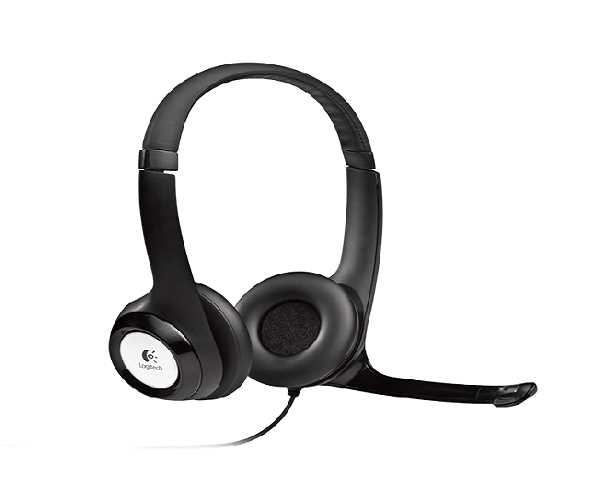
Upgrade your audio experience with the brand new Logitech H540 USB Computer Headset. Designed for clarity and comfort, this headset is perfect for internet calls, music, and gaming. The laser-tuned drivers and built-in equalizer deliver rich, digital stereo sound that brings your audio to life, making every conversation and song sound its absolute best.
Functionality is at your fingertips. The headset features a high-quality, noise-cancelling microphone that reduces background noise, ensuring your voice is heard clearly by colleagues, clients, and family. You can easily rotate the microphone boom to the perfect position or tuck it away when not in use. Simple on-ear controls let you adjust the volume or mute the mic instantly, with a convenient indicator light to confirm your mute status. The soft, padded leatherette headband and earcups are designed for comfort, even during long hours of use.
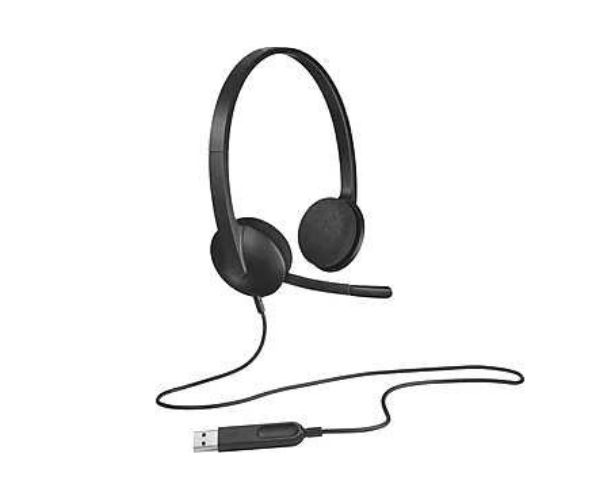
Getting started is incredibly easy. Just plug the USB-A connector into your computer and you're ready to go – no software installation required. This brand new, sealed headset is the reliable choice for anyone needing a high-quality audio solution for their home office, online classes, or business in Uganda. Enjoy professional sound quality and all-day comfort with Logitech.
📖 HOW TO USE
1. Unbox your brand new Logitech H540 headset from its sealed packaging.
2. Plug the USB-A connector directly into an available USB port on your laptop or desktop computer.
3. Wait a moment for your computer to automatically recognize and set up the headset. No software is needed.
4. Adjust the padded headband to find a secure and comfortable fit on your head.
5. Use the controls on the right earcup to adjust volume or press the mute button for privacy during calls.
💡 TIPS & CARE
• For the clearest voice pickup, position the microphone about two fingers' width from your mouth.
• When you're only listening to music or watching videos, rotate the microphone boom up and away.
• Ensure the headset is selected as your default audio input/output device in your application settings (e.g., Zoom, Teams, Skype).
• Clean the leatherette ear pads periodically with a soft, dry cloth to maintain hygiene and comfort.