Product Description
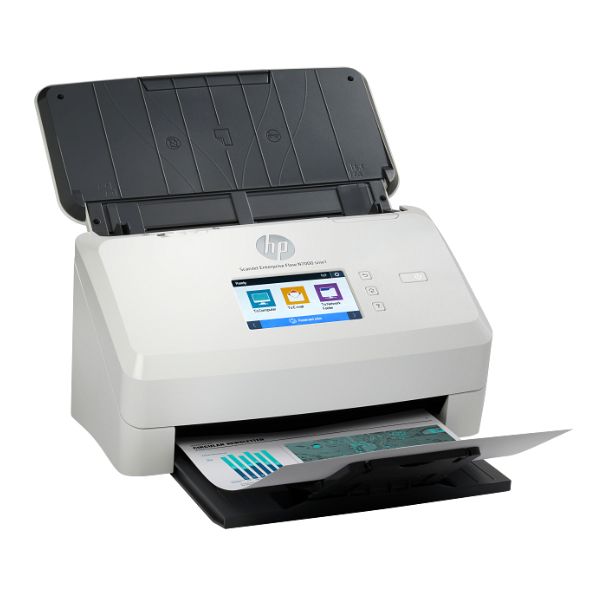
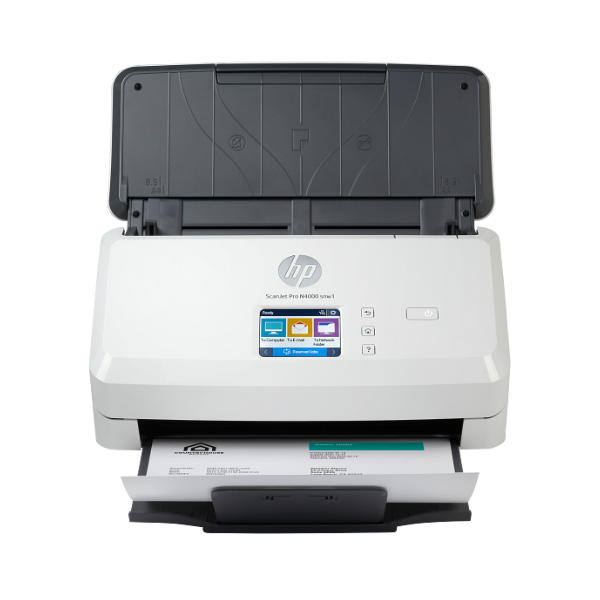
Transform your document management with the BRAND NEW HP Scanjet Pro N4000 SNW1 Sheet-feed Scanner, designed for the modern Ugandan office. Say goodbye to slow, manual scanning and hello to incredible efficiency. This powerful device digitizes your paperwork at an impressive speed of up to 50 pages per minute, handling both single and double-sided documents in a single pass.
Built for performance and convenience, the Scanjet Pro N4000 offers versatile connectivity options. Connect seamlessly to your office network using Wi-Fi or Gigabit Ethernet, or plug directly into your computer with a high-speed USB 3.0 port. This flexibility allows your entire team to access the scanner, streamlining workflows and reducing bottlenecks. The 50-sheet Automatic Document Feeder (ADF) lets you load a stack of papers and walk away, freeing up your valuable time to focus on more important tasks.
With a high optical resolution of up to 600 dpi, every scan is sharp, clear, and professional. From contracts and invoices to reports and ID cards, this scanner captures every detail accurately. It's the perfect tool for creating searchable PDFs, archiving important records, and moving your business towards a paperless environment. This brand new, sealed unit is a reliable investment that will improve your office's productivity from day one.
📖 HOW TO USE
1. Unbox the scanner and remove all protective tapes and packaging materials.
2. Connect the power adapter to the scanner and plug it into a power outlet.
3. Connect to your computer using the included USB 3.0 cable, or connect to your network router via Ethernet cable or Wi-Fi setup.
4. Download and install the latest HP Scan software and drivers from the official HP support website for full functionality.
5. Load your documents into the automatic document feeder, adjust the paper guides, and start scanning using the HP software or the scanner's control panel.
💡 TIPS & CARE
• For best results, fan the stack of paper before loading it into the ADF to prevent pages from sticking together.
• Regularly clean the scanner's rollers and glass path with a soft, lint-free cloth to ensure clear scans and prevent paper jams.
• Choose the appropriate scan resolution for your needs; 300 dpi is great for standard documents, while 600 dpi is better for photos or detailed graphics.
• Utilize the HP Scan software to create custom scan profiles for common tasks, such as 'Scan to PDF' or 'Scan to Email'.