Product Description
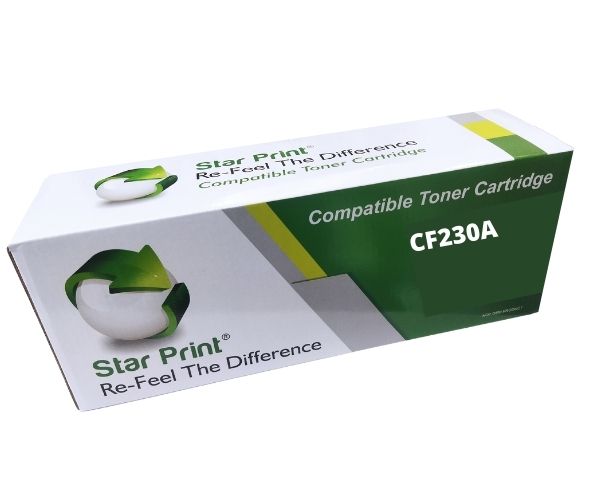
Are you looking for an affordable way to keep your office printing? Look no further! This BRAND NEW Star Print CF230A (30A) compatible toner cartridge is the perfect solution for your HP LaserJet Pro printer. Engineered to meet or exceed the performance of original cartridges, it delivers consistently sharp text and clear graphics, page after page. You get the professional quality you need for reports, invoices, and important documents, but at a fraction of the cost.
Forget about unreliable refills. This is a brand new, sealed cartridge, built with high-quality components to ensure smooth operation and protect your printer. With a generous page yield of approximately 1,600 pages, it's ideal for busy offices and homes in Uganda, reducing the frequency of replacements and keeping your productivity high. Installation is simple and quick, so you can get back to printing in just a few minutes.
Whether you're printing business proposals, school assignments, or everyday documents, the Star Print CF230A offers unbeatable reliability and value. It's the smart choice for anyone who wants to save money on printing costs without compromising on the quality that their work deserves. Make the switch today and experience dependable, high-quality printing.
📖 HOW TO USE
1. Before use, gently shake the toner cartridge horizontally 5-6 times to distribute the toner evenly.
2. Completely pull out the entire sealing tape from the side of the cartridge.
3. Remove the orange or black protective plastic cover.
4. Open your printer's cover and remove the old cartridge.
5. Insert the new Star Print cartridge into the correct slot until it clicks securely into place, then close the printer cover.
💡 TIPS & CARE
• Store the cartridge in a cool, dry place and avoid exposure to direct sunlight or extreme temperatures.
• To maximize the toner life for draft documents, use your printer's 'Toner Save' or 'EconoMode' setting.
• Ensure you are purchasing the correct model for your specific HP printer to avoid compatibility issues.
• For best print quality, use high-quality, dry, and undamaged paper.