Product Description
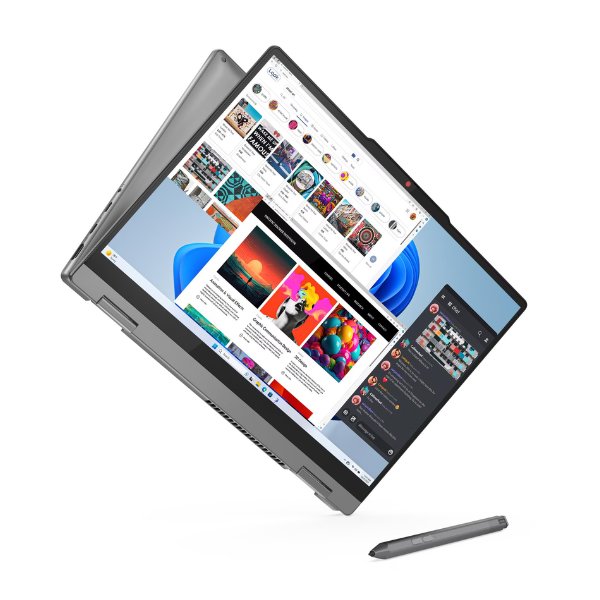
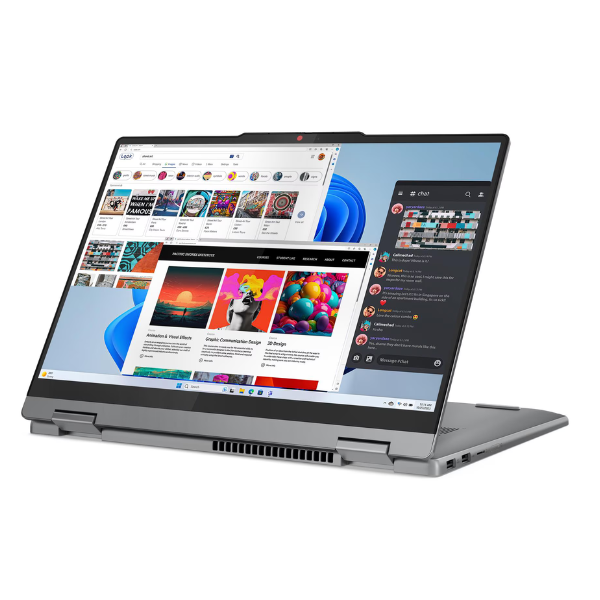
Discover the perfect blend of performance and versatility with the BRAND NEW Lenovo IdeaPad 5 Flex 14IRH9. Designed for the dynamic lifestyle in Uganda, this 2-in-1 convertible laptop adapts to your needs, whether you're typing a report in laptop mode, giving a presentation in tent mode, or relaxing with a movie in stand mode. Its sleek, lightweight design makes it easy to carry around Kampala, from the office to the classroom or your favourite café.
Powered by a reliable Intel Core i5 processor and 8GB of RAM, this machine handles everyday tasks with ease. Multitasking between applications, browsing the web, and streaming content is smooth and responsive. The super-fast 512GB SSD not only provides ample space for all your important files, software, and media but also ensures that the laptop boots up in seconds and applications load instantly. Say goodbye to waiting and hello to productivity.
The vibrant 14-inch Full HD touchscreen brings your content to life with sharp details and vivid colours. Its intuitive touch controls make navigation a breeze, especially when used in tablet mode. This brand new, sealed unit comes ready to unbox and impress, offering the reliability and innovation Lenovo is known for. It's the ideal computing companion for professionals, students, and creatives who demand both power and flexibility.
📖 HOW TO USE
1. Carefully unbox the laptop and all its accessories from the sealed package.
2. Connect the included AC adapter and plug it into a power source to fully charge the battery before first use.
3. Press the power button to turn on the laptop.
4. Follow the on-screen instructions to complete the initial Windows 11 setup.
5. Connect to your Wi-Fi network and start installing your favourite applications.
💡 TIPS & CARE
• Invest in a protective laptop sleeve or bag to keep it safe during transport.
• Install a reliable antivirus software to protect your data from threats.
• Regularly check for and install Windows and Lenovo Vantage updates to ensure optimal performance and security.
• Explore the different modes (laptop, tent, stand, tablet) to find the most comfortable setup for any task.