Product Description
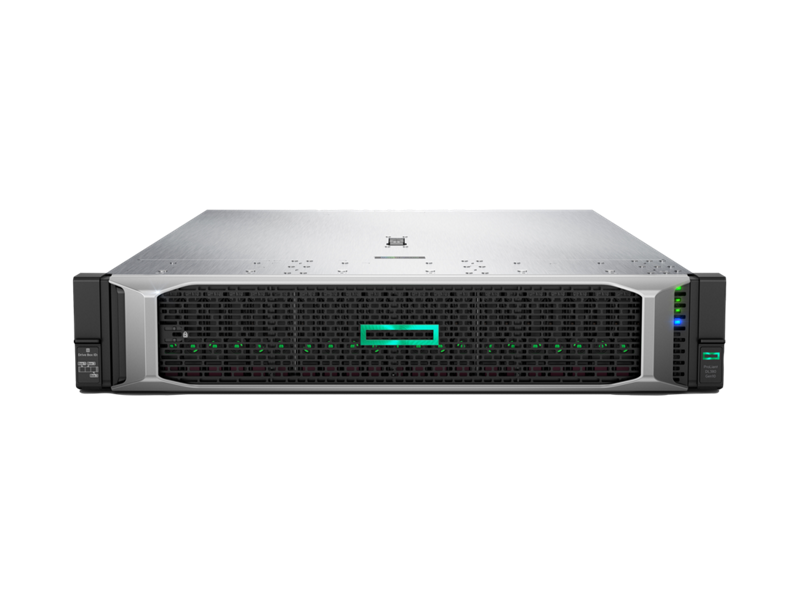
Supercharge your business operations with the brand new HPE ProLiant DL380 Gen10 Server. This powerhouse is engineered to deliver world-class performance, security, and expandability for any workload, from basic IT infrastructure to complex data analytics. It's the perfect foundation for your company's digital transformation, providing the reliability that Ugandan businesses depend on.
At its heart is a powerful 10-Core Intel Xeon Silver 4210R processor, paired with 32GB of high-speed DDR4 memory. This combination ensures smooth, responsive performance even under heavy loads, allowing you to run multiple applications and virtual machines without a hitch. The server's flexible design allows for future upgrades, so you can easily add more memory, storage, or networking options as your business grows. This isn't just a server; it's a long-term investment in your company's success.
Built with security at its core, the DL380 Gen10 features HPE's Silicon Root of Trust technology to protect against firmware attacks. With the integrated HPE iLO 5 management, you can securely monitor, configure, and update your server from anywhere, anytime. This brand new, sealed unit is ready to be deployed into your environment, giving you the peace of mind that comes with enterprise-grade quality and a full warranty.
📖 HOW TO USE
1. Carefully unbox the server and all included components.
2. Securely install the server into a standard 19-inch equipment rack using the provided rails.
3. Connect the 800W power supply to a reliable power source, preferably a UPS (Uninterruptible Power Supply).
4. Connect network cables to the onboard Ethernet ports and any necessary peripherals like a monitor and keyboard for initial setup.
5. Power on the server and use the HPE iLO remote console or a direct connection to begin OS installation and configuration.
💡 TIPS & CARE
• Always connect the server to a quality UPS to protect against power surges and outages in Uganda.
• Plan for future growth by leaving memory and drive slots available for easy upgrades.
• Regularly check for and apply firmware updates via HPE Support to ensure optimal performance and security.
• Utilize HPE iLO 5 for remote management to monitor server health and reduce physical visits to the data center.