Product Description
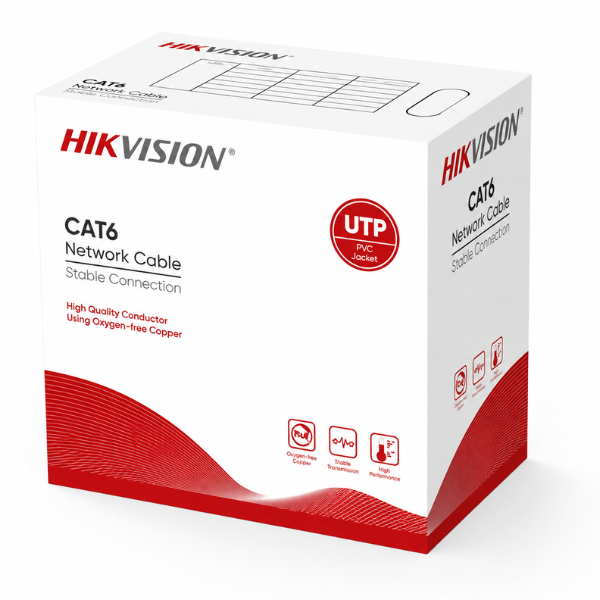
Build a fast and reliable network foundation with the D-Link CAT6 UTP Cable. This is a brand new, sealed box containing 305 meters (1000 feet) of high-quality networking cable, perfect for professional installers and DIY enthusiasts in Uganda. Whether you're setting up a new office, wiring your home for seamless internet, or installing a CCTV security system, this cable provides the performance and durability you need.
Engineered to the Category 6 standard, this cable supports bandwidth up to 250 MHz and is ideal for Gigabit Ethernet applications, ensuring fast data transfer, smooth video streaming, and lag-free online gaming. It features 23 AWG solid bare copper conductors which offer superior conductivity and signal integrity compared to cheaper copper-clad aluminum (CCA) cables. The UTP (Unshielded Twisted Pair) design helps to reduce crosstalk and electromagnetic interference, ensuring a stable connection for all your devices.
The cable comes in a convenient easy-pull box, making deployment smooth and tangle-free, saving you time and frustration on the job. It's the perfect bulk solution for large-scale projects like wiring entire buildings, setting up internet cafes, or for network technicians who need a dependable supply of quality cable. Invest in this brand new D-Link CAT6 cable to future-proof your network infrastructure and enjoy consistent, high-speed performance.
📖 HOW TO USE
1. Measure the required length for your network run, adding a little extra for termination.
2. Carefully pull the cable from the easy-pull box to prevent kinks and tangles.
3. Use a cable stripper to remove about 1 inch (2.5 cm) of the outer grey jacket.
4. Untwist the wire pairs and arrange them according to the T568A or T568B wiring standard.
5. Insert the wires into an RJ45 connector and use a crimping tool to secure it firmly.
💡 TIPS & CARE
• Always use high-quality RJ45 connectors and a proper crimping tool for reliable connections.
• Avoid sharp bends (maintain a bend radius of at least 4 times the cable diameter) to protect signal integrity.
• Test each terminated cable with a network cable tester before final installation to save time troubleshooting.
• For best performance, keep the cable away from sources of high electrical interference like power lines and fluorescent lighting.