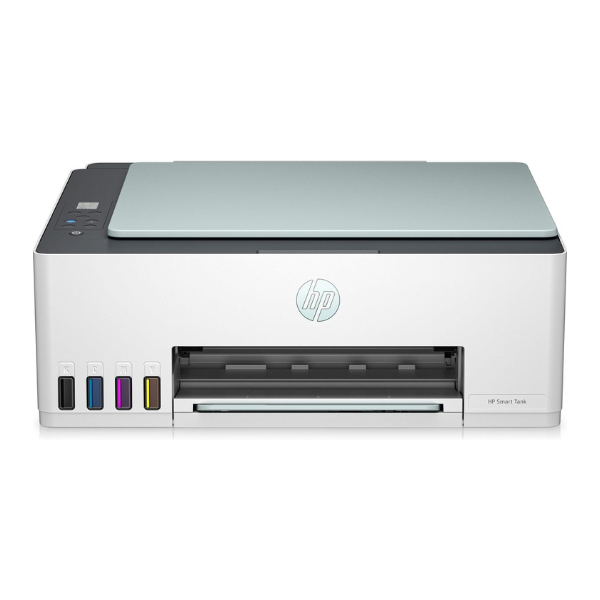
Product Description
Meet the perfect printing solution for your home or small office in Uganda, the brand new HP SmartTank 582 All-in-One Printer. Designed for efficiency and savings, this printer eliminates the need for expensive cartridges with its high-capacity integrated ink tank system. Right out of the box, you get enough genuine HP ink to print thousands of pages, delivering exceptional value and uninterrupted productivity.
This versatile machine does more than just print. It offers high-quality scanning and copying, making it a central hub for all your document needs. With built-in Wi-Fi and the powerful HP Smart app, you can print documents and photos directly from your smartphone or tablet, whether you're in the next room or across town. The setup is simple, and the innovative spill-free refill bottles make topping up the ink clean and effortless. Enjoy crisp, sharp text and vibrant color graphics for all your projects, from school assignments to business reports.
Choose the HP SmartTank 582 for its reliability, convenience, and incredible long-term savings. Its compact design fits neatly into any workspace, while its powerful performance helps you get more done. Stop worrying about running out of ink and start enjoying the freedom of high-volume, low-cost, and high-quality wireless printing.
📖 HOW TO USE
1. Carefully unbox the printer and remove all protective tapes and materials.
2. Fill the ink tanks with the corresponding color ink bottles included in the box. The bottles are designed for easy, spill-free refilling.
3. Plug the power cord into an outlet and turn on the printer.
4. Load plain A4 paper into the input tray.
5. Download the HP Smart app on your smartphone or computer and follow the on-screen instructions to connect the printer to your Wi-Fi network and complete the setup.
💡 TIPS & CARE
• Always use genuine HP ink bottles to ensure the best print quality and longevity of your printer.
• For the best results, print a test page weekly to keep the printheads clear and ink flowing smoothly.
• Utilize the HP Smart app for easy scanning to email, cloud storage, and remote printing.
• Keep the printer firmware updated through the app to access the latest features and security enhancements.




