Product Description
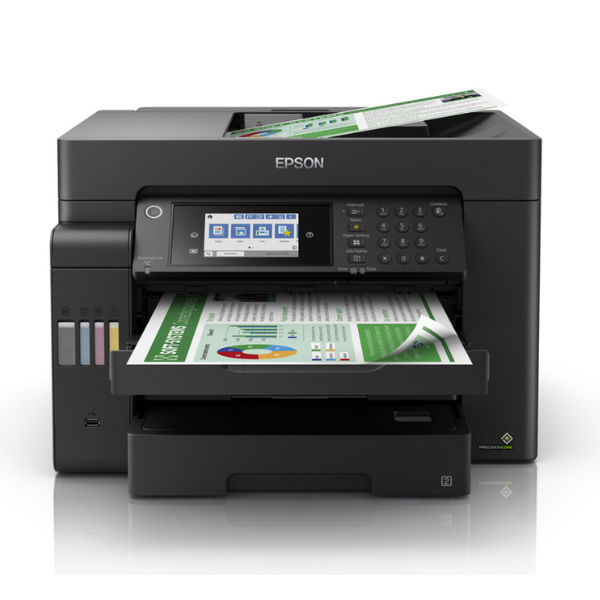
Upgrade your office or business with the BRAND NEW Epson EcoTank L14150, a compact and powerful A3+ multifunction printer designed for efficiency and savings. Say goodbye to expensive cartridges! The revolutionary EcoTank system uses high-capacity, refillable ink tanks that deliver an incredible page yield, drastically reducing your printing costs. This is the smart choice for anyone in Uganda looking to print high volumes without breaking the budget.
Engineered for performance, the L14150 is equipped with Epson's PrecisionCore Heat-Free Technology, ensuring sharp text and vibrant colour prints at a high resolution of 4800x1200 dpi. Its versatility is unmatched – print everything from standard A4 reports to large A3+ architectural plans, posters, and spreadsheets. With full Print, Scan, Copy, and Fax capabilities, plus an Automatic Document Feeder (ADF) and automatic A4 duplex printing, you can handle any task with ease and speed.
Connectivity is simple and flexible. Print directly from your computer, laptop, smartphone, or tablet using Wi-Fi and Wi-Fi Direct. This brand new, sealed unit is built for the modern Ugandan workspace, offering reliability, superior quality, and unbeatable long-term value. Boost your productivity and manage your documents professionally with the Epson EcoTank L14150.
📖 HOW TO USE
1. Carefully unbox the printer and remove all blue protective tapes and packaging materials.
2. Fill the ink tanks using the corresponding colour-coded, spill-free Epson ink bottles.
3. Plug in the power cord, turn on the printer, and wait for the screen to prompt you.
4. Follow the on-screen instructions to complete the initial ink charging process, which may take a few minutes.
5. Connect the printer to your Wi-Fi network or computer via USB and install the drivers from the Epson website.
💡 TIPS & CARE
• For the best print quality and to protect your printer's warranty, always use genuine Epson 101 ink bottles.
• To prevent print head clogging, try to print at least one page in both black and colour each week.
• Use the Epson Smart Panel app on your smartphone for easy mobile printing, scanning, and printer management.
• When printing on A3+ paper, ensure you select the correct paper size and type in the print settings for optimal results.