Product Description
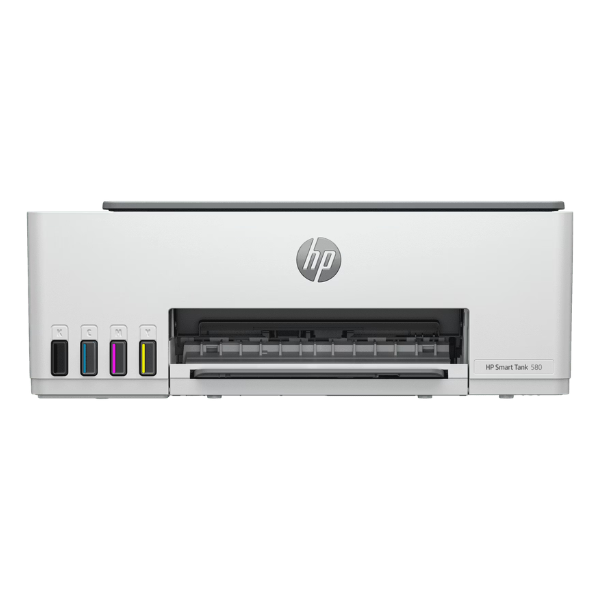
Meet the perfect printing solution for your home or small office in Uganda – the brand new HP Smart Tank 580 All-in-One Printer. Say goodbye to expensive cartridges and constant replacements. This printer is designed for efficiency and savings, delivering thousands of high-quality pages with the ink included right in the box. It's the smart, reliable choice for all your document needs.
This versatile machine does more than just print. It's a complete workstation that allows you to print, scan, and copy in vibrant color and sharp black text. With its integrated ink tank system and spill-free refill bottles, topping up your ink is clean and simple. Built with quality materials, the HP Smart Tank 580 is made to last, providing consistent performance day after day. Connect seamlessly via Wi-Fi from your laptop, tablet, or smartphone using the HP Smart app and print from anywhere in your home or office.
Imagine the convenience of printing school assignments, business reports, or family photos without ever worrying about running out of ink. The HP Smart Tank 580's incredible page yield means you save significant money and time, boosting your productivity. Whether you're running a small business or managing a busy household, this printer is the reliable partner you need to get the job done efficiently and affordably.
📖 HOW TO USE
1. Carefully unbox the printer and remove all protective tapes and materials.
2. Fill the designated ink tanks using the included spill-free HP ink bottles.
3. Plug in the power cord and turn on the printer.
4. Download the HP Smart app on your computer or smartphone and follow the on-screen instructions to connect the printer to your Wi-Fi network.
5. Load paper into the input tray and you are ready to print, scan, or copy.
💡 TIPS & CARE
• For best results and to protect your printer, always use genuine HP ink bottles.
• Keep the printer connected to your Wi-Fi network for easy mobile printing.
• Print a page in color at least once a week to prevent the printheads from drying out.
• Place the printer on a flat, stable surface to ensure smooth operation.




