
Printers
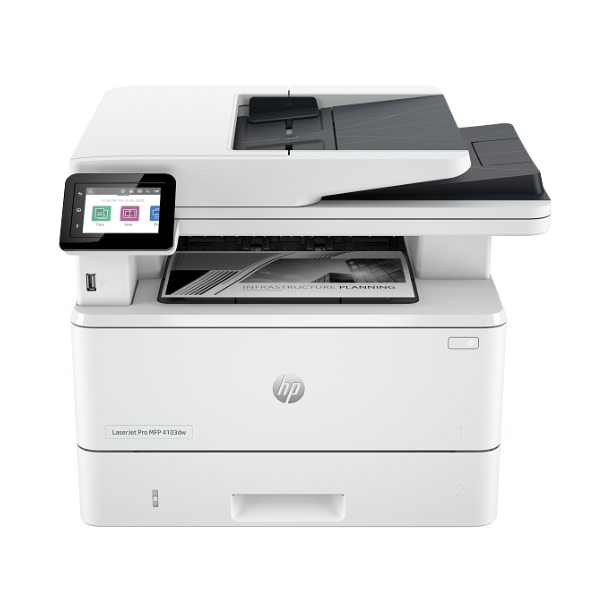
HP LaserJet Pro MFP 4103dw Wireless Multifunction Printer with Duplex Printing & Scanning
Functions: Print, Copy, Scan | Print Speed: Up to 40 pages per minute (ppm) | Connectivity: Dual-band Wi-Fi, Gigabit Ethernet, USB | Automatic Duplexing: Two-sided printing and scanning | Mobile Printing: HP Smart app, Apple AirPrint™, Mopria™
No reviews yet
Out of Stock
Chat on WhatsApp| Specification | Details | More Info | Remarks |
|---|---|---|---|
| Duplex Printing | Automatic (standard) | ||
| Condition | Brand New, Sealed | ||
| Connectivity | Dual-band Wi-Fi, Bluetooth Smart, Gigabit Ethernet, Hi-Speed USB 2.0 | ||
| Print Speed (Black, A4) | Up to 40 ppm | ||
| Warranty | 1 Year | ||
| Paper Handling Input | 250-sheet input tray, 100-sheet multipurpose tray | ||
| Scan Speed (ADF) | Up to 29 ppm (black), Up to 20 ppm (color) | ||
| Paper Handling Output | 150-sheet output bin | ||
| Print Resolution (Black) | Up to 1200 x 1200 dpi | ||
| Print Technology | Monochrome Laser | ||
| Functions | Print, Copy, Scan | ||
| Color | White/Grey | ||
| Product Name | HP LaserJet Pro MFP 4103dw Printer | ||
| Mobile Printing Capability | HP Smart App; Apple AirPrint™; Mopria™ Certified | ||
| Scanner Type | Flatbed, Automatic Document Feeder (ADF) |






