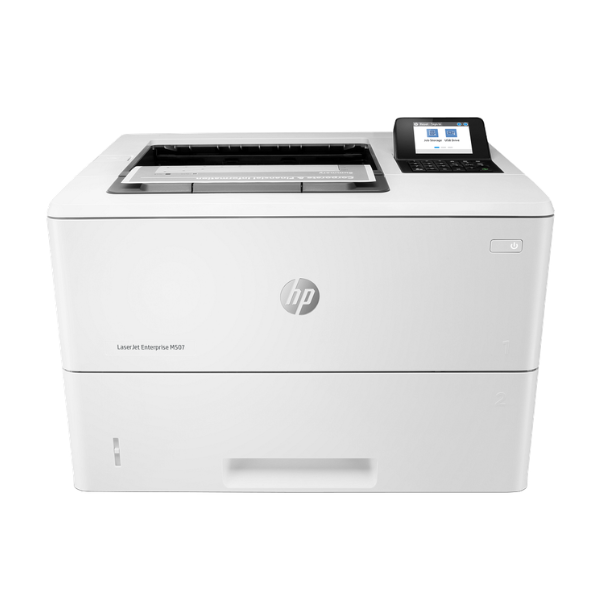
Product Description
Supercharge your workplace with the brand new HP LaserJet Enterprise M507dn, a powerful monochrome printer built for speed, security, and efficiency. Designed for demanding environments in Uganda, this printer delivers crisp, professional black-and-white documents at an incredible speed of up to 55 pages per minute. Stop waiting for print jobs and empower your team to get more done, faster.
This printer is packed with features to make your work life easier. Automatic two-sided (duplex) printing cuts your paper consumption in half, saving money and reducing waste. With built-in Gigabit Ethernet connectivity, you can easily share the M507dn across your entire office network, allowing multiple users to print seamlessly. Its robust construction and high-yield toner options mean less downtime and a lower cost per page, making it a smart investment for any growing business.
The HP M507dn is not just fast; it's also smart and secure. It features a large paper capacity to handle big print jobs without constant reloading and advanced security features to protect your sensitive business information. Whether you're printing invoices, reports, or official documents, this brand new, reliable HP printer is the perfect workhorse for any busy office, clinic, or school.
📖 HOW TO USE
1. Carefully unbox the printer and remove all protective tapes and packaging materials.
2. Open the front cover and install the included HP toner cartridge.
3. Load A4 paper into the main paper tray (Tray 2).
4. Connect the power cord to the printer and a wall outlet, then turn it on.
5. Connect the printer to your office router using an Ethernet cable for network access, then install the drivers on your computers.
💡 TIPS & CARE
• For best results and to protect your warranty, use only genuine HP toner cartridges.
• Set automatic duplex printing as your default setting on your computers to save paper.
• Place the printer in a well-ventilated area to ensure it stays cool during heavy printing jobs.
• Utilize the network connection to make the printer accessible to everyone in your office.




