Product Description
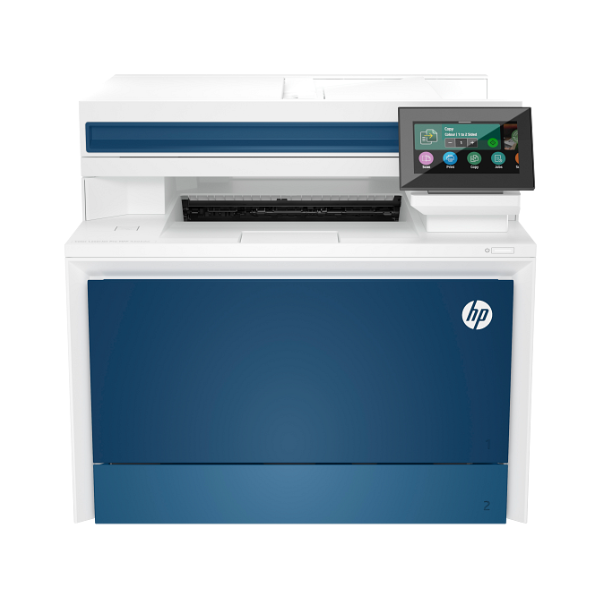
Upgrade your workplace with the brand new HP Color LaserJet Pro MFP 4303fdw, the ultimate all-in-one solution designed for modern businesses in Uganda. This powerful machine delivers vibrant color prints and sharp black text at an impressive speed of up to 33 pages per minute, ensuring your team spends less time waiting and more time working. Straight out of the box, this printer is ready to handle all your office tasks, from printing and copying to scanning and faxing, all in one compact device.
This printer is packed with features to make your workflow smoother. Save paper and create professional-looking documents with automatic two-sided (duplex) printing. The 50-sheet Automatic Document Feeder (ADF) makes scanning or copying multi-page documents a breeze. With built-in Wi-Fi and Ethernet, you can easily connect the entire office and print from computers, smartphones, or tablets without the mess of cables. Its intuitive 4.3-inch color touchscreen simplifies navigation and job management.
Choosing this brand new, sealed HP printer means investing in reliability and performance. It's perfect for small to medium-sized businesses that need a dependable workhorse for producing high-quality marketing materials, reports, and everyday documents. Get consistent, professional results and enjoy the peace of mind that comes with a brand new, top-quality machine built to meet your business demands.
📖 HOW TO USE
1. Carefully unbox the printer and remove all protective tape and packaging materials.
2. Install the pre-installed HP TerraJet toner cartridges by removing their seals.
3. Load paper into the main input tray and adjust the paper guides.
4. Connect the power cord and turn on the printer.
5. Use the touchscreen display to connect the printer to your Wi-Fi network or plug in an Ethernet cable for a wired connection.
💡 TIPS & CARE
• For the best print quality and printer longevity, always use genuine HP TerraJet toner cartridges.
• Regularly check for and install firmware updates from HP to ensure optimal performance and security.
• Utilize the HP Smart app on your phone or computer for easy mobile printing and scanning.
• To save paper and energy, set automatic duplex printing as your default for everyday printing tasks.




