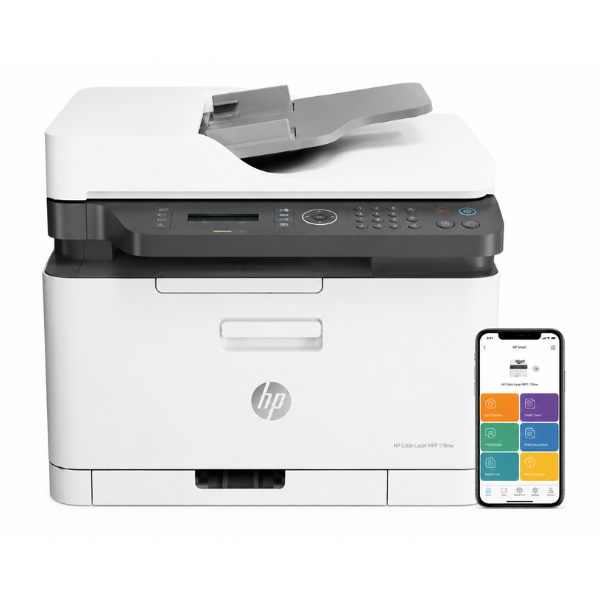
Product Description
Discover the power of a full-featured office in one compact machine with the brand new HP Color LaserJet Pro MFP 179fnw. Designed for efficiency, this multifunction printer delivers vibrant color documents and sharp black text, making it the perfect partner for your growing business or busy home office in Uganda. Stop juggling multiple devices; this single unit handles all your printing, scanning, copying, and faxing needs, saving you valuable space and money.
This printer is built for modern work. Easily connect and print from anywhere in your office using its built-in Wi-Fi, or print directly from your smartphone or tablet with the highly-rated HP Smart app. The setup is simple, allowing you to get to work in minutes. With impressive print speeds of up to 19 pages per minute for black and white documents, you won't be kept waiting. The 40-sheet Automatic Document Feeder (ADF) makes scanning and copying multi-page documents a breeze.
Investing in the HP 179fnw means investing in reliability and quality. This is a brand new, sealed unit, ready to deliver consistent, professional results from the very first page. It's an essential tool for creating professional invoices, marketing materials, reports, and more, right from your desk.
📖 HOW TO USE
1. Carefully unbox the printer and remove all protective tapes and packaging.
2. Install the pre-included HP toner cartridges following the setup guide.
3. Plug the printer into a power outlet and turn it on.
4. Use the control panel to connect the printer to your Wi-Fi network, or connect it to your computer via a USB cable (not included).
5. Download the HP Smart app on your mobile device or install the drivers on your PC/Mac to complete the setup and start printing.
💡 TIPS & CARE
• For best results and to protect your warranty, use genuine HP 117A toner cartridges.
• Place the printer on a stable, flat surface with good ventilation to ensure optimal performance.
• Use the HP Smart app to easily manage print jobs, check toner levels, and scan documents from your phone.
• To save paper, use the manual duplex printing feature for internal documents.




