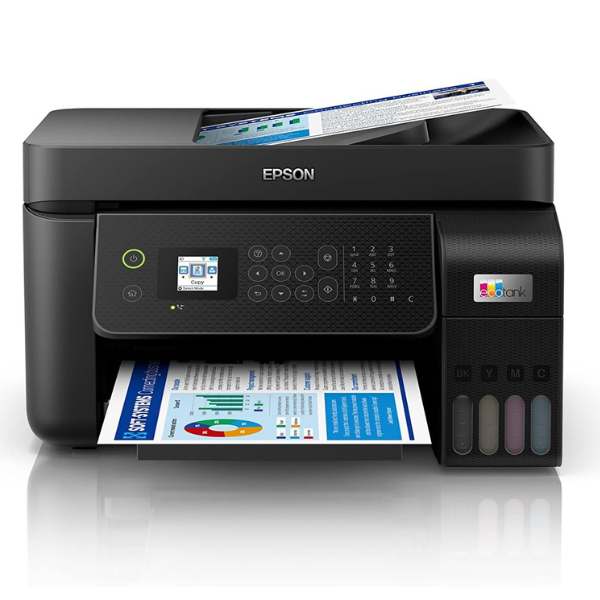
Product Description
Meet the revolutionary, brand new Epson EcoTank L5290, designed to bring you incredible savings and powerful performance for your home or small business. Say goodbye to expensive cartridges! This printer features a high-capacity integrated ink tank system that you fill with affordable, high-yield ink bottles. One set of included ink bottles can print thousands of pages, dramatically lowering your printing costs and reducing hassle.
This isn't just a printer; it's a complete office solution. The L5290 is a true all-in-one device that allows you to print, copy, scan, and even fax documents with ease. The 30-page Automatic Document Feeder (ADF) makes scanning and copying multi-page documents a breeze, saving you valuable time and effort. Whether you're printing school assignments, business reports, or vibrant photos, the L5290 delivers sharp text and brilliant colours every time.
Enjoy the freedom of modern connectivity. Print wirelessly from your laptop, tablet, or smartphone using Wi-Fi and Wi-Fi Direct. The Epson Smart Panel app turns your mobile device into a powerful command centre, allowing you to set up, monitor, print, and scan directly. With its compact design and reliable performance, this brand new Epson EcoTank L5290 is the smart choice for efficient and affordable printing in Uganda.
📖 HOW TO USE
1. Carefully unpack the printer and remove all protective tapes and materials.
2. Fill the ink tanks using the provided high-yield Epson ink bottles. The unique key-nozzle design prevents mis-filling.
3. Plug in the power cord, turn on the printer, and follow the on-screen instructions for initial ink charging.
4. Install the printer software on your computer using the included CD or by downloading from the Epson website.
5. Load paper into the rear tray and connect the printer to your Wi-Fi network or computer via USB.
💡 TIPS & CARE
• Always use genuine Epson 103 ink bottles to ensure the best print quality and protect your printer's warranty.
• Print a page at least once a week to prevent the print head nozzles from drying out.
• Keep the printer drivers and software updated for the latest features and performance improvements.
• When scanning multiple pages, use the Automatic Document Feeder (ADF) to save time.




