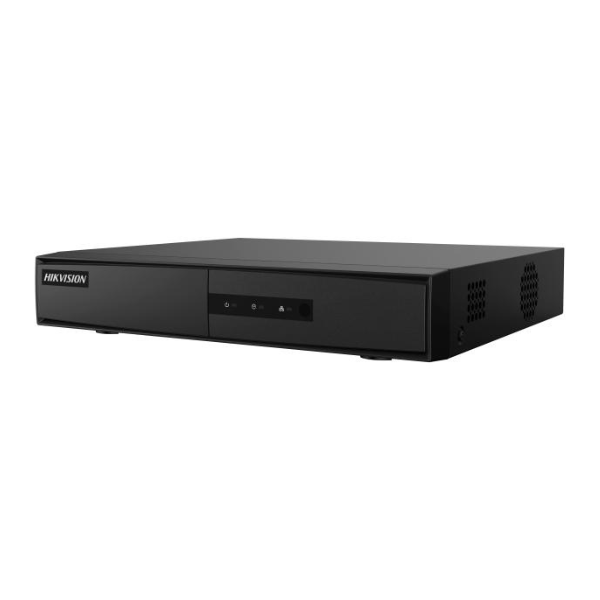
Product Description
Secure your property with the brand new Hikvision DS-7204HGHI-F1 4-Channel DVR, the perfect heart for your modern surveillance system. This powerful yet affordable DVR allows you to connect and record from up to four different cameras, offering incredible flexibility. It supports a wide range of camera technologies, including HDTVI, AHD, CVI, and traditional analog (CVBS), so you can upgrade your system over time or use your existing cameras without any issues.
Experience clear and detailed footage with 1080p Lite resolution, ensuring you can identify faces and license plates when it matters most. Thanks to its advanced H.264+ video compression technology, this DVR significantly reduces file sizes, allowing you to store weeks of footage on a single hard drive (sold separately) without sacrificing critical image quality. This means lower storage costs and longer recording times. With both HDMI and VGA outputs, you can connect to a TV or computer monitor for easy live viewing and playback.
Whether you're protecting your home in Kampala, monitoring a small shop, or keeping an eye on your office, this BRAND NEW Hikvision DVR provides the reliability and performance you need. It's easy to set up and, once connected to the internet, allows for remote viewing on your smartphone via the Hik-Connect app. Get the peace of mind that comes from knowing your property is watched over by a trusted name in security. This unit is factory sealed and ready for installation.
📖 HOW TO USE
1. Unbox the BRAND NEW DVR and its accessories.
2. Open the DVR case and securely install a SATA hard drive (sold separately) for video storage.
3. Connect your CCTV cameras to the BNC input ports on the back of the DVR.
4. Connect a monitor to the DVR using either the HDMI or VGA port.
5. Connect the DVR to your internet router with an Ethernet cable for remote access.
6. Plug in the power adapter, turn on the DVR, and follow the on-screen startup wizard to configure settings.
💡 TIPS & CARE
• For best performance, use a surveillance-grade hard drive (e.g., WD Purple or Seagate SkyHawk).
• Download the Hik-Connect app on your smartphone for convenient remote viewing and playback.
• Ensure the DVR is placed in a well-ventilated area to prevent overheating.
• Change the default administrator password during setup to secure your system from unauthorized access.