Product Description
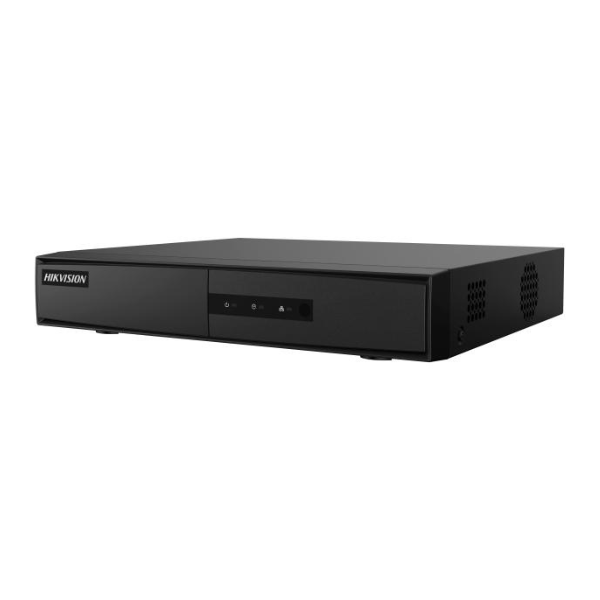
Upgrade your security with our BRAND NEW 8-Channel 1080p Lite DVR, the perfect central hub for your home or business surveillance system. This powerful and reliable Digital Video Recorder allows you to connect, view, and record footage from up to eight CCTV cameras simultaneously, giving you complete peace of mind whether you're at home or away.
Engineered for clarity and efficiency, this DVR supports 1080p Lite resolution, ensuring you capture clear and detailed video. The advanced H.264 video compression technology significantly reduces file sizes, which means you can store more footage on your hard drive without sacrificing video quality. This is perfect for long-term recording without needing to constantly manage storage space. Setting it up is straightforward, and with remote viewing capabilities, you can easily check your live camera feeds from anywhere in the world using your smartphone, tablet, or computer.
This DVR is built to last and designed for easy installation. Its compact 1U chassis fits neatly into any setup. Whether you are securing your shop in Kampala, monitoring your home in Entebbe, or managing office security, this brand new, sealed 8-channel DVR provides the reliability and features you need to protect what matters most.
- Crystal Clear Video: Records in 1080p Lite resolution for sharp, usable footage.
- Efficient Storage: H.264 compression saves hard drive space, allowing for longer recording times.
- Remote Access: Keep an eye on your property 24/7 from any internet-connected device.
- Flexible Connectivity: Connect up to 8 BNC cameras and display on any modern screen via HDMI or VGA.
📖 HOW TO USE
1. Carefully unbox the DVR and all accessories.
2. Open the DVR casing and securely install a SATA hard drive (sold separately) for video storage.
3. Connect your CCTV cameras to the BNC input ports on the back of the DVR.
4. Connect a monitor using either the HDMI or VGA port to view the setup interface.
5. Connect the DVR to your internet router using an Ethernet cable and follow the on-screen instructions to configure network settings for remote viewing.
💡 TIPS & CARE
• For best performance and reliability, use a surveillance-grade hard drive (e.g., WD Purple, Seagate SkyHawk).
• Immediately change the default admin password to a strong, unique password to secure your system.
• Enable motion detection recording to save storage space and receive alerts for important events.
• Place the DVR in a well-ventilated area to prevent it from overheating.