Product Description
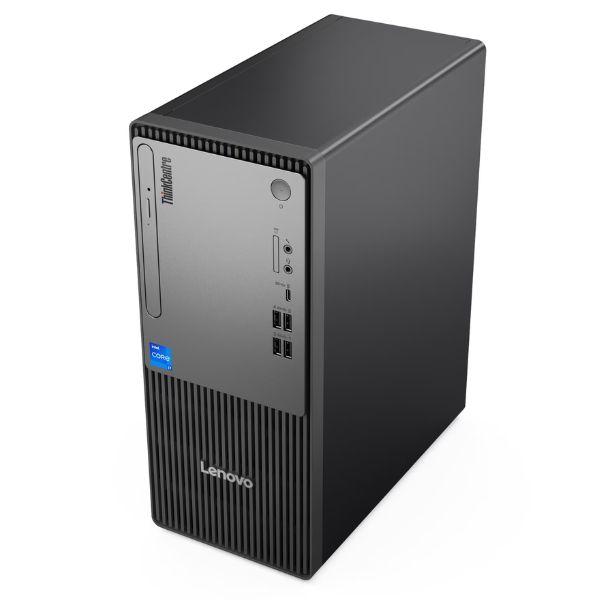
Elevate your workspace with the BRAND NEW Lenovo ThinkCentre Neo 50t G6 Desktop PC, a powerful and reliable solution designed for modern businesses and demanding home users in Uganda. This robust desktop is engineered for peak performance, featuring the cutting-edge Intel Core Ultra 5 225 processor, ensuring smooth multitasking, efficient data processing, and quick application launches. Paired with a generous 8GB of high-speed DDR5 RAM, you'll experience seamless transitions between tasks, making your workday more productive and enjoyable. The lightning-fast 512GB NVMe SSD provides ample storage for all your critical files, applications, and multimedia, while drastically reducing boot times and file loading speeds, putting an end to frustrating delays.
The ThinkCentre Neo 50t G6 isn't just about raw power; it's also about a complete, ready-to-use experience. This package includes a crisp 21.5-inch Full HD monitor, delivering vibrant visuals and clear text, perfect for spreadsheets, presentations, and general office work. Its sleek, space-saving design ensures it fits perfectly into any office or home environment, promoting a clutter-free setup. With robust connectivity options including Wi-Fi 6, Bluetooth 5.2, and multiple USB ports, you can effortlessly connect all your peripherals and stay connected to your network. This desktop is built with Lenovo's renowned quality, ensuring durability and long-term reliability for your peace of mind.
Whether you're running complex business applications, managing daily tasks, or enjoying multimedia, the ThinkCentre Neo 50t G6 provides the stable and efficient platform you need. It comes with Free DOS, offering a modern, intuitive interface and enhanced security features. Invest in a system that boosts your efficiency and provides a dependable computing experience right out of the box, backed by a 1-year warranty for complete assurance.
📖 HOW TO USE
1. Unbox the desktop tower, monitor, keyboard, and mouse.
2. Connect the monitor to the desktop tower using an HDMI or DisplayPort cable.
3. Connect the power cables to the desktop and monitor, then plug them into a power outlet.
4. Connect the keyboard and mouse to the USB ports on the desktop.
5. Press the power button on the desktop tower and monitor.
6. Follow the on-screen instructions to complete Windows 11 setup.
💡 TIPS & CARE
• Regularly update your operating system and drivers for optimal performance and security.
• Use a reliable antivirus software to protect against malware and viruses.
• Back up important data to an external drive or cloud service regularly.
• Ensure proper ventilation around the desktop tower to prevent overheating.
• Clean the monitor screen with a soft, lint-free cloth and appropriate screen cleaner.