Product Description
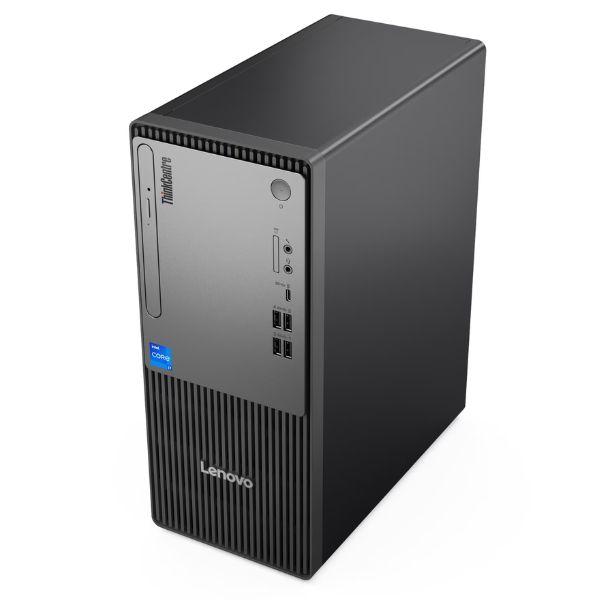
Unleash unparalleled productivity and performance with the BRAND NEW Lenovo ThinkCentre Neo 50t G5 Desktop PC. Designed for demanding tasks, this powerhouse features the latest 14th Generation Intel Core i7-14700 processor, ensuring lightning-fast speeds and seamless multitasking for all your business applications, creative projects, and everyday computing needs. Paired with 8GB of high-speed DDR4 RAM, you'll experience smooth operation even when running multiple programs simultaneously. The generous 512GB NVMe SSD provides ample storage for your files, documents, and software, while drastically reducing boot times and application loading speeds.
This comprehensive package includes a crisp 21.5-inch Full HD monitor, delivering vibrant visuals and ample screen real estate for an immersive viewing experience, whether you're working on spreadsheets, browsing the web, or enjoying multimedia content. The ThinkCentre Neo 50t G5 is built with Lenovo's renowned reliability and robust security features, making it a smart investment for any home office or business in Uganda. Its sleek, modern design fits perfectly into any workspace, offering a clean and professional aesthetic. Get ready to elevate your computing experience right out of the box with this complete, BRAND NEW setup.
Connectivity is a breeze with a range of ports including USB-A, USB-C, HDMI, and DisplayPort, allowing you to connect all your essential peripherals and external displays. Integrated Wi-Fi and Bluetooth ensure you stay connected wirelessly, while Gigabit Ethernet provides a stable wired connection. This desktop is engineered for longevity and efficiency, consuming less power without compromising on performance, making it an eco-friendly choice. Enjoy peace of mind with a robust system that's ready to tackle any challenge you throw at it.
📖 HOW TO USE
1. Unpack the desktop tower, monitor, keyboard, and mouse from the box.
2. Connect the monitor to the desktop tower using the HDMI or DisplayPort cable provided.
3. Plug in the power cables for both the desktop and the monitor.
4. Connect the keyboard and mouse to the available USB ports on the desktop.
5. Power on the desktop and follow the on-screen instructions for initial Windows setup.
💡 TIPS & CARE
• Consider adding an external hard drive for additional backup storage.
• Regularly update your operating system and drivers for optimal performance and security.
• Invest in a good quality surge protector to protect your equipment from power fluctuations.
• Keep the desktop in a well-ventilated area to prevent overheating.