Product Description
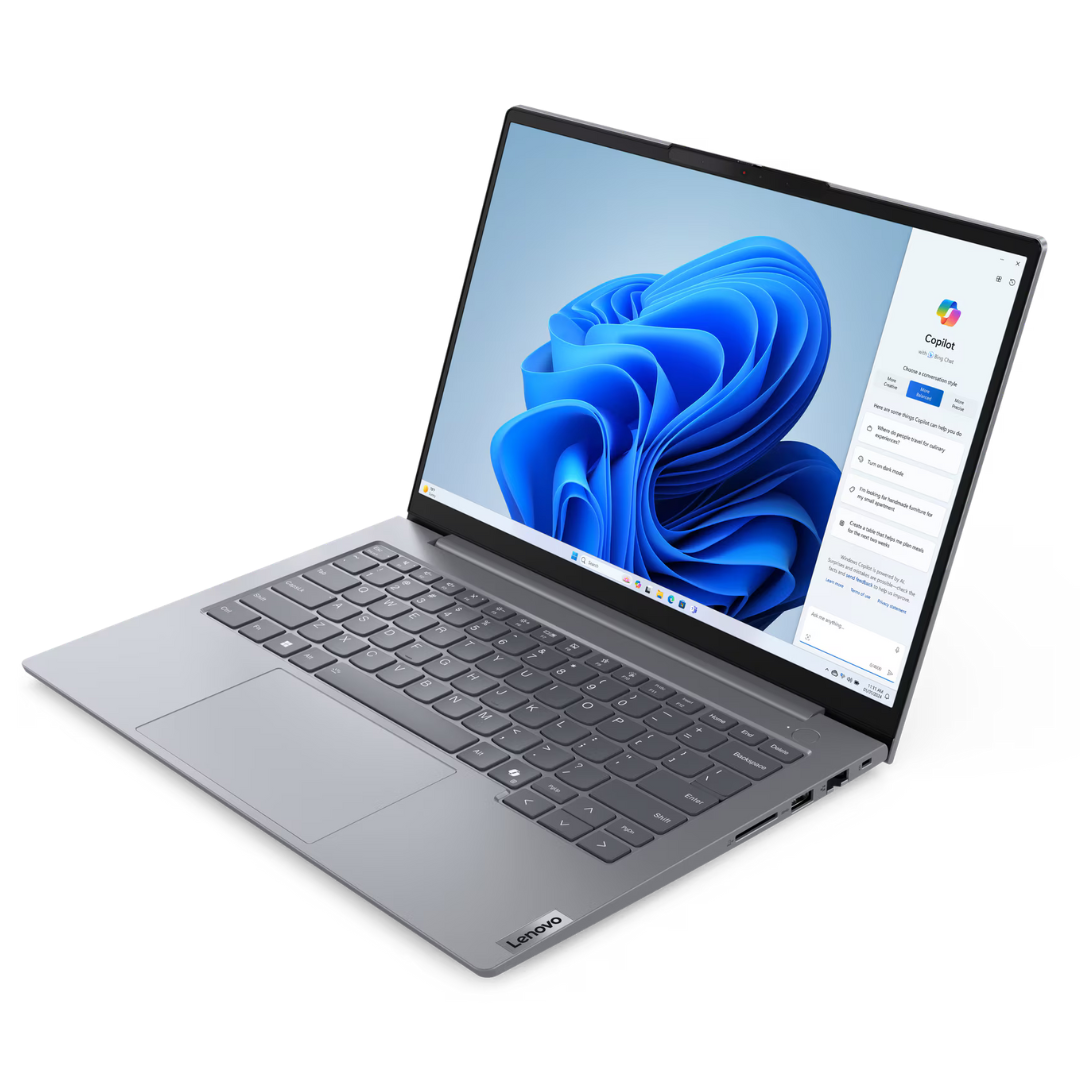
Unleash your productivity with the BRAND NEW Lenovo ThinkBook 14 G8, a powerful and stylish laptop designed for the modern professional in Uganda. This sleek machine boasts a vibrant 14-inch WUXGA (1920x1200) IPS display, delivering crisp visuals and wide viewing angles perfect for detailed work, presentations, or enjoying multimedia content. Powered by the efficient Intel Core Ultra 5 processor, paired with 8GB of high-speed LPDDR5x RAM and a lightning-fast 512GB PCIe Gen4 NVMe SSD, you'll experience remarkable responsiveness and ample storage for all your applications and files.
The ThinkBook 14 G8 is engineered for durability and reliability, featuring a robust build quality that can withstand the rigors of daily use. Its comprehensive connectivity options, including USB-C with Thunderbolt support, USB-A, and HDMI, ensure you can effortlessly connect all your peripherals and external displays. With an extended battery life, you can stay productive on the go without constantly searching for a power outlet. This laptop comes BRAND NEW and SEALED, ready to elevate your work experience with its advanced features and dependable performance.
Designed with user convenience in mind, the Lenovo ThinkBook 14 G8 includes a comfortable, backlit keyboard for effortless typing in any lighting condition, and a precise touchpad for smooth navigation. Whether you're crunching numbers, creating compelling presentations, or collaborating with colleagues, this laptop provides the speed, security, and sophistication you need to excel. Invest in a machine that combines cutting-edge technology with business-grade reliability, ensuring you stay ahead in your professional endeavors.
📖 HOW TO USE
1. Unpack the laptop and connect the power adapter.
2. Press the power button to turn it on.
3. Follow the on-screen prompts to complete the Windows 11 setup (select language, connect to Wi-Fi, create user account).
4. Install necessary software and drivers for optimal performance.
5. Regularly update the operating system and drivers for security and feature enhancements.
💡 TIPS & CARE
• Use a laptop sleeve or bag for protection during transport.
• Keep the vents clear to ensure proper airflow and prevent overheating.
• Regularly back up important data to an external drive or cloud storage.
• Clean the screen and keyboard with appropriate cleaning solutions and microfiber cloths.
• Consider a quality antivirus software for enhanced security.