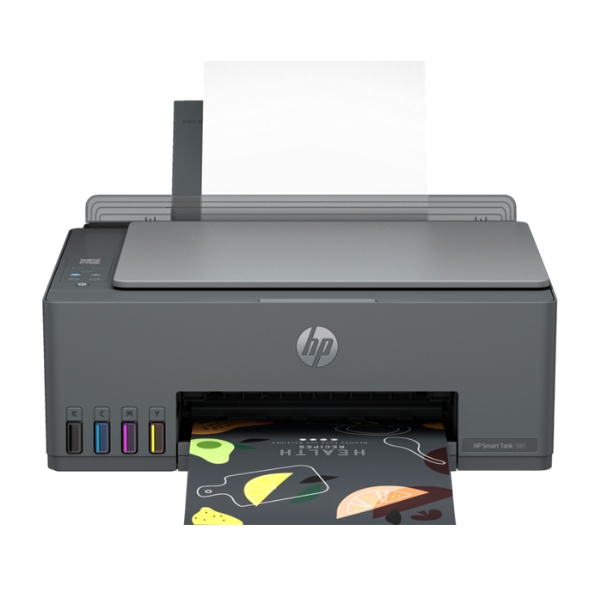
Product Description
Meet the brand new HP Smart Tank 581, the perfect All-in-One printer for your home or small office in Uganda. This is not just a printer; it's a complete solution for printing, scanning, and copying, designed to save you time and money. Its compact design fits perfectly in any workspace, delivering outstanding quality and reliability you can count on, straight out of the box.
The standout feature is the revolutionary Smart Tank system. Say goodbye to expensive and messy cartridges! This printer comes with enough genuine HP ink to print up to 12,000 black pages or 6,000 color pages. The integrated ink tanks and automatic ink sensor make refilling simple, clean, and spill-free, ensuring you get sharp text and vibrant color prints at an incredibly low cost per page. It's the smart choice for anyone who prints regularly, from students with assignments to businesses printing documents and marketing materials.
Enjoy modern convenience with seamless wireless connectivity. Easily connect the printer to your Wi-Fi network and print directly from your smartphone, tablet, or laptop using the HP Smart app. You can even scan documents with your phone's camera and send them straight to the printer. With its reliable performance and exceptional value, this brand new HP Smart Tank 581 is built to boost your productivity without breaking your budget.
📖 HOW TO USE
1. Carefully unbox the printer and remove all protective tapes and packaging materials.
2. Fill the ink tanks using the included spill-free HP ink bottles. Match the color of the bottle to the tank.
3. Plug in the power cord, turn on the printer, and load plain A4 paper into the input tray.
4. Download the HP Smart app on your computer or smartphone and follow the on-screen instructions to connect the printer to your Wi-Fi network.
5. Once connected, you are ready to print, scan, and copy wirelessly.
💡 TIPS & CARE
• For the best print quality and longevity of your printer, always use genuine HP ink bottles.
• Keep the printer connected to your Wi-Fi network for easy mobile printing and firmware updates.
• To avoid printhead clogs, try to print at least one page in both black and color each week.
• Store your paper in a cool, dry place to prevent paper jams and ensure crisp prints.




