
Printers
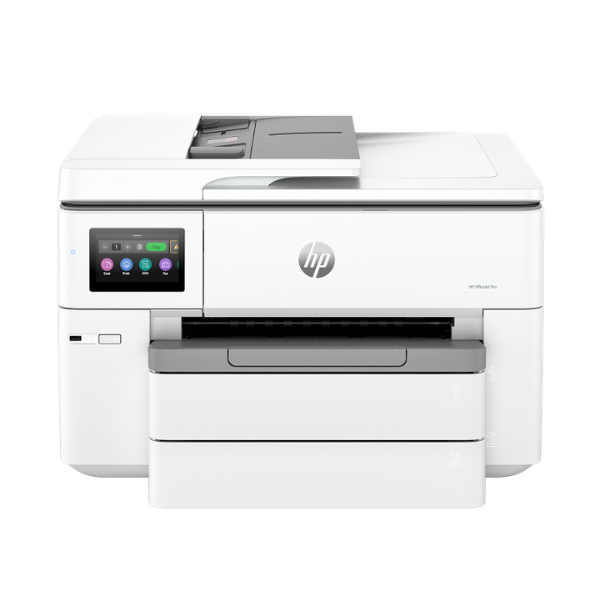
HP OfficeJet Pro 9730 All-in-One Wide-Format Printer Wireless Print/Copy/Scan
All-in-One Functionality: Print, Copy, Scan, Fax | Wide-Format Printing: Supports paper sizes up to A3 | Fast Print Speeds: Up to 22 ppm (black) and 18 ppm (color) | Wireless & Ethernet Connectivity: Print from any device, anywhere in your office | 35-Sheet Automatic Document Feeder (ADF) for easy multi-page scanning
No reviews yet
USh 1,259,000
1
Only 10 items left, hurry up!| Specification | Details | More Info | Remarks |
|---|---|---|---|
| Paper Handling Input | 250-sheet input tray | ||
| Monthly Duty Cycle | Up to 30,000 pages | ||
| Print Technology | HP Thermal Inkjet | ||
| Warranty | 1 Year | ||
| Connectivity | Wi-Fi, Ethernet, USB 2.0 | ||
| Media Sizes Supported | A3, A4, A5, A6, B5 (JIS), Envelope (DL, C5, C6) | ||
| Condition | Brand New, Sealed | ||
| Print Resolution (Color) | Up to 4800 x 1200 optimized dpi | ||
| Automatic Document Feeder (ADF) | 35-sheet capacity | ||
| Print Speed (Color, ISO) | Up to 18 ppm | ||
| Print Speed (Black, ISO) | Up to 22 ppm | ||
| Display | 2.7-inch (6.86 cm) Color Touchscreen | ||
| Product Name | HP OfficeJet Pro 9730 All-in-One Wide-Format Printer |






