Product Description
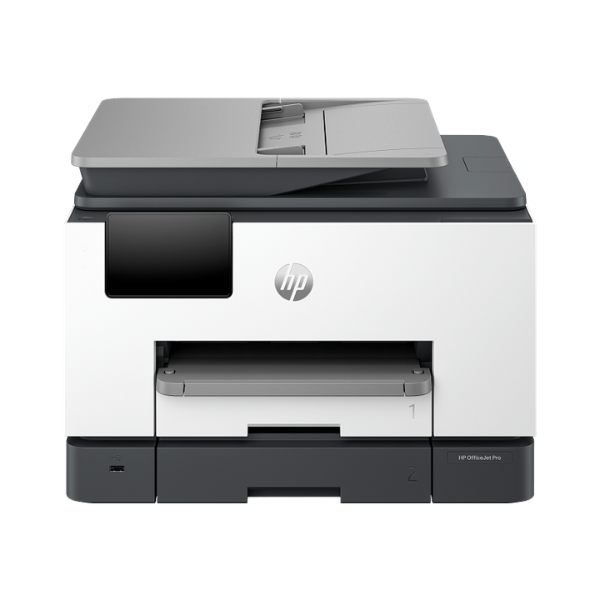
Meet the ultimate productivity tool for your growing business in Uganda, the brand new HP OfficeJet Pro 9130 All-in-One Printer. This powerful machine is designed to handle everything your busy office throws at it, combining the functions of a high-speed printer, a sharp scanner, a quick copier, and a reliable fax into one compact device. Forget cluttered desks with multiple machines; the OfficeJet Pro 9130 streamlines your workflow, saving you space, time, and money.
Engineered for efficiency, this printer delivers professional-quality color and crisp black text at impressive speeds of up to 25 pages per minute. The automatic two-sided (duplex) printing feature cuts your paper consumption in half, while the 35-sheet Automatic Document Feeder (ADF) makes scanning or copying multi-page documents a breeze. With versatile connectivity options including Wi-Fi, Ethernet, and USB, you can easily print from your computer, laptop, or even your smartphone using the HP Smart app.
This is a BRAND NEW, factory-sealed unit, built to last and ready to work right out of the box. Its intuitive 4.3-inch color touchscreen makes navigating tasks simple for everyone in the office. Whether you're printing invoices, scanning important documents, or creating marketing materials, the HP OfficeJet Pro 9130 provides the reliability and high-quality results your business deserves.
📖 HOW TO USE
1. Carefully unbox the printer and remove all protective tapes and packaging materials.
2. Install the included HP ink cartridges into their designated color-coded slots.
3. Load A4 paper into the main 250-sheet input tray and adjust the paper guides.
4. Plug in the power cord, turn on the printer, and follow the on-screen setup guide on the color touchscreen.
5. Connect the printer to your office Wi-Fi network to enable wireless printing from all your devices.
💡 TIPS & CARE
• For best results and to protect your warranty, always use genuine HP ink cartridges.
• Download the HP Smart app on your smartphone or tablet for easy mobile printing, scanning, and printer management.
• Utilize the automatic duplex printing feature to save on paper costs for internal documents.
• Keep the printer's firmware updated to ensure you have the latest features and security enhancements.