Product Description
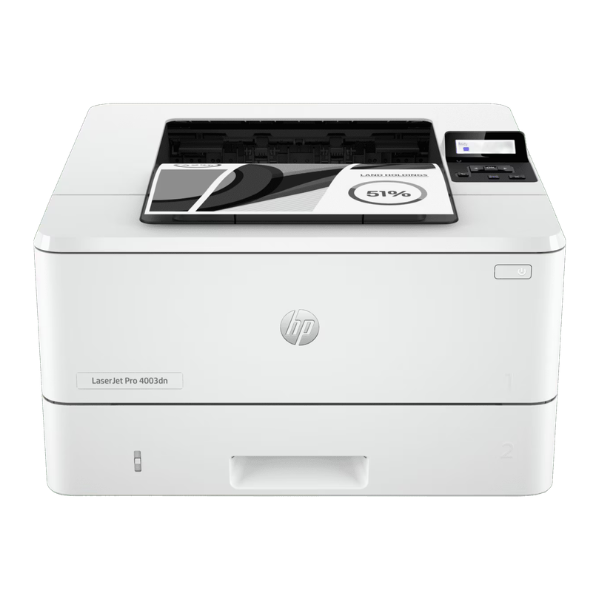
Supercharge your small or medium-sized business in Uganda with the brand new HP LaserJet Pro 4003dn. This is not just a printer; it's a productivity powerhouse designed for teams that need speed, reliability, and professional quality. Stop waiting for documents and start getting work done faster with an impressive print speed of up to 42 pages per minute. Your first page will be out in as fast as 6.3 seconds!
This printer is built to save you money and resources. The automatic duplex (two-sided) printing feature cuts your paper consumption by up to 50%, which is great for your budget and the environment. With its built-in Gigabit Ethernet port, you can easily connect the printer to your office network, allowing your entire team to print seamlessly from their computers. The crisp 1200 x 1200 dpi resolution ensures that every document, from simple text reports to detailed invoices, looks sharp and professional.
Setting up and managing the HP 4003dn is simple, letting you focus on your business, not on your equipment. Its robust design is ready to handle a busy workload, making it the perfect, reliable partner for any demanding office environment. This is a brand new, sealed unit, ready to deliver exceptional performance from the moment you unbox it.
📖 HOW TO USE
1. Carefully unbox the printer and remove all protective tapes and packaging materials.
2. Open the front cover and install the included HP LaserJet Toner Cartridge.
3. Load A4 paper into the main paper tray (Tray 2) and adjust the paper guides.
4. Connect the power cord to the printer and a wall outlet, then connect the Ethernet cable to your network router or switch.
5. Power on the printer and follow the on-screen instructions or install the necessary drivers on your computers from the official HP support website.
💡 TIPS & CARE
• For the best performance and print quality, always use genuine HP toner cartridges.
• Utilize the automatic duplex feature to reduce paper costs for internal documents.
• Connect the printer via Ethernet for the most stable and reliable network connection for your team.
• To avoid paper jams, do not overfill the paper trays and ensure the paper guides are snug against the paper stack.




