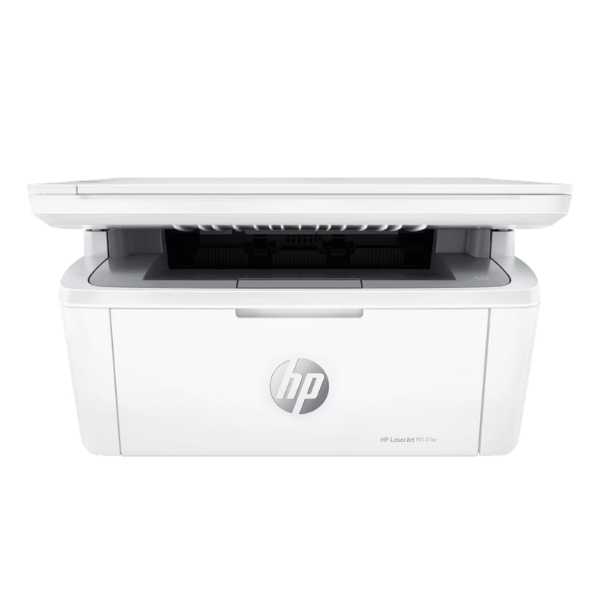
Product Description
Discover the power of productivity in a compact size with the BRAND NEW HP LaserJet MFP M141w. This is the perfect all-in-one solution for your home office or small business needs in Uganda, designed to fit your space and your budget. Stop juggling multiple devices; this multifunction printer handles all your printing, scanning, and copying tasks with professional quality and incredible efficiency.
Experience fast printing speeds of up to 20 pages per minute, so you spend less time waiting and more time working. The laser technology delivers sharp, crisp black text on every page, making your documents look professional. The best feature is the built-in Wi-Fi, which allows you to print wirelessly from your laptop, tablet, or smartphone using the easy-to-use HP Smart app. Setting up is simple, getting you from unboxing to printing in just minutes!
This HP LaserJet M141w is not just a machine; it's a tool to make your work life easier. Its small footprint saves valuable desk space, while its reliable performance ensures you can always count on it. As a brand new, sealed product, you get the peace of mind that comes with HP's world-renowned quality and durability, ready to work hard for you from day one.
📖 HOW TO USE
1. Unbox the printer and remove all protective tapes and packaging.
2. Insert the included HP toner cartridge into the printer.
3. Plug in the power cord, turn on the printer, and load paper into the input tray.
4. Use the HP Smart app on your phone or computer to connect the printer to your Wi-Fi network.
5. Follow the on-screen instructions to complete the setup and start printing, scanning, and copying.
💡 TIPS & CARE
• For the best print quality and to protect your printer, always use genuine HP 150A toner cartridges.
• Download the HP Smart app to easily print from your mobile devices and check toner levels.
• Place the printer on a stable, flat surface in a well-ventilated area.
• To save paper, use the manual duplex printing feature guided by the printer driver.




