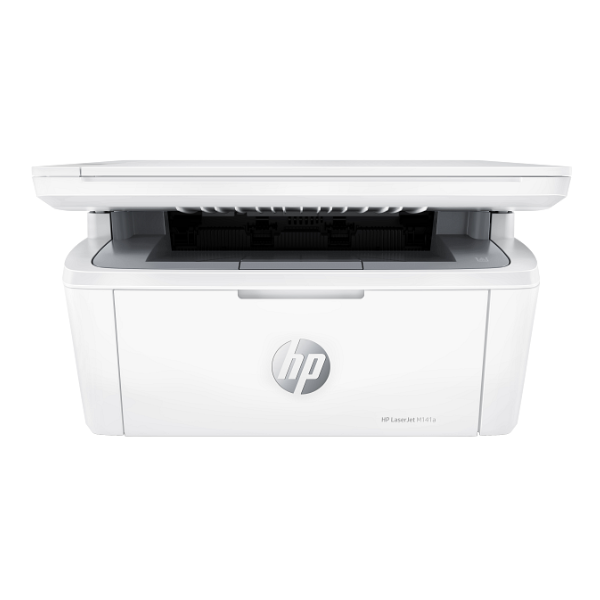
Product Description
Discover the perfect blend of performance and value with the brand new HP LaserJet MFP 141A. Designed for efficiency, this multifunction printer is the ideal solution for homes and small businesses across Uganda. Handle all your document needs—from printing sharp, professional reports to scanning important IDs and copying documents—with one compact machine.
This printer delivers impressive results with fast printing speeds of up to 20 pages per minute, so you spend less time waiting. The laser technology ensures every page has crisp, black text and bold graphics with a resolution of up to 600 x 600 dpi. Its simple, intuitive control panel and easy setup via Hi-Speed USB mean you can get started on your tasks right out of the box. Its small footprint allows it to fit comfortably on any desk or in any tight workspace without sacrificing power.
Choosing the HP LaserJet MFP 141A is a smart investment. It's built to handle a monthly duty cycle of up to 8,000 pages, making it a dependable workhorse for your daily needs. Get professional-quality results efficiently and affordably with this brand new, sealed All-in-One printer.
📖 HOW TO USE
1. Carefully unbox the printer and remove all protective tapes and packaging materials.
2. Install the included HP 141A Black LaserJet Toner Cartridge into the printer.
3. Load the 150-sheet input tray with A4 paper.
4. Connect the power cord to the printer and a wall outlet, then turn the printer on.
5. Connect the printer to your computer using a USB cable (not always included) and follow the on-screen instructions to install the drivers from the HP website.
💡 TIPS & CARE
• For the best print quality and printer longevity, always use genuine HP 141A toner cartridges.
• Place the printer on a flat, stable surface to ensure smooth operation.
• Regularly check for driver updates on the official HP support website to maintain optimal performance.
• Avoid overloading the paper tray to prevent paper jams.




