Product Description
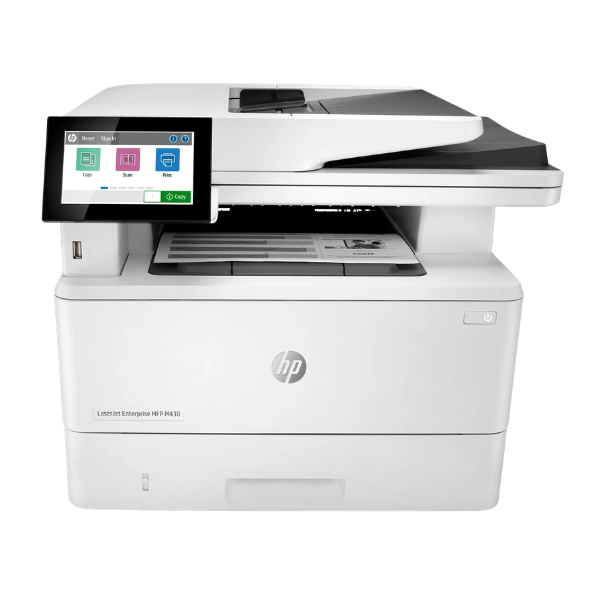
Supercharge your office workflow with the brand new HP LaserJet Enterprise MFP M430f. This is not just a printer; it's a complete document solution designed for busy Ugandan businesses that demand efficiency and reliability. Straight from a sealed box, this 4-in-1 device handles all your printing, scanning, copying, and faxing needs, saving you valuable space and money by combining multiple machines into one powerful unit.
Experience incredible speed and quality. With print speeds of up to 42 pages per minute, you'll get your documents faster, so you can move on to your next task. The automatic two-sided printing feature helps you save paper and create professional-looking booklets with ease. For multi-page documents, the 50-sheet Automatic Document Feeder (ADF) makes scanning or copying a breeze – just set your stack of papers and let the printer do the work. Every print is sharp and clear thanks to the crisp 1200 x 1200 dpi resolution.
Built for the modern office, the HP M430f is easy to use and secure. The intuitive 2.7-inch color touchscreen simplifies navigation and job management. Connect it seamlessly to your office network using the built-in Gigabit Ethernet port for easy sharing among your team. This brand new printer is ready to deliver consistent, high-performance results right out of the box, helping your business run smoothly every single day.
📖 HOW TO USE
1. Carefully unpack the printer from its sealed box and remove all protective tapes and packaging.
2. Install the included HP toner cartridge following the guide inside the printer's front cover.
3. Load A4 paper into the main paper tray, ensuring the guides are snug against the paper.
4. Connect the power cord to the printer and a wall outlet. Connect the Ethernet cable to your network router or a USB cable to your computer.
5. Power on the printer and follow the on-screen setup instructions on the color touchscreen to configure your settings and connect to the network.
💡 TIPS & CARE
• For the best print quality and to maintain your warranty, always use genuine HP toner cartridges.
• To avoid paper jams, do not overfill the paper trays and ensure the paper is aligned correctly.
• Regularly clean the scanner glass to ensure clear and sharp copies and scans.
• Place the printer in a well-ventilated area to prevent overheating, especially during long print jobs.




