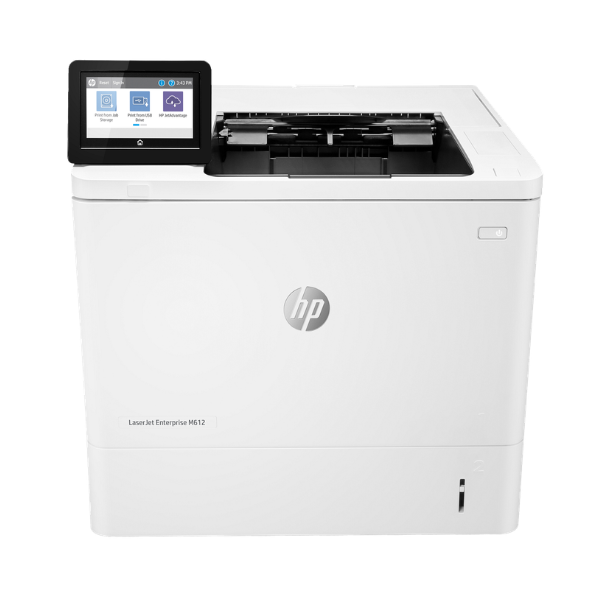
Product Description
Experience unmatched efficiency and reliability with the BRAND NEW HP LaserJet Enterprise M612dn printer, designed for large workgroups and busy offices in Uganda. This powerful single-function monochrome printer is built to handle high-volume printing tasks with ease, delivering sharp, professional-quality black-and-white documents at an impressive speed of up to 70 pages per minute. Your first page is out in as fast as 5.1 seconds, so there's no more waiting around.
Built for the modern workplace, the M612dn comes equipped with robust features to streamline your workflow. Automatic duplex printing helps you save paper and reduce costs, while the built-in Gigabit Ethernet connectivity allows for seamless sharing across your office network. With a massive monthly duty cycle of up to 300,000 pages, this printer is a true workhorse you can depend on for all your critical business printing needs, from reports and invoices to official documents.
This brand new, sealed unit also prioritizes security with HP's advanced features, protecting your network from potential threats. Its straightforward setup and user-friendly interface mean you can get it up and running quickly. Invest in the HP LaserJet Enterprise M612dn for a printing solution that offers speed, quality, and peace of mind for your business.
📖 HOW TO USE
1. Carefully unbox the brand new printer and remove all protective tapes and packaging materials.
2. Install the included HP Original LaserJet Toner Cartridge into the designated slot.
3. Load paper into the 550-sheet main tray or the 100-sheet multipurpose tray.
4. Connect the power cord to the printer and a wall outlet, then turn the printer on.
5. Connect the printer to your office network using an Ethernet cable for shared access, and install the necessary drivers on your computers.
💡 TIPS & CARE
• For optimal performance and to maintain your warranty, always use genuine HP toner cartridges.
• Utilize the automatic duplex (two-sided) printing feature to cut your paper consumption by up to 50%.
• Regularly check for and install firmware updates from the HP support website to ensure the latest security and feature enhancements.
• Place the printer in a well-ventilated area to ensure proper cooling during heavy use.




