
Printers
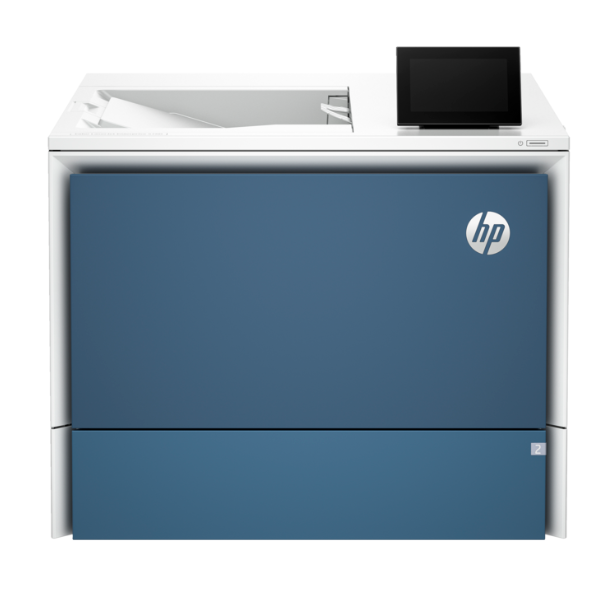
HP Enterprise Color LaserJet 5700dn Single Function Printer | 33ppm | Duplex Printing
Print Speed: Up to 33 ppm (Black and Color) | Functionality: Print Only | Print Technology: Laser | Connectivity: Gigabit Ethernet, Hi-Speed USB 2.0 | Duplex Printing: Automatic (Two-Sided)
No reviews yet
USh 4,233,000
1
Only 10 items left, hurry up!| Specification | Details | More Info | Remarks |
|---|---|---|---|
| Condition | Brand New, Sealed | ||
| Paper Handling Input | 250-sheet input tray, 50-sheet multipurpose tray | ||
| Duplex Printing | Automatic (standard) | ||
| Connectivity | 1 Gigabit Ethernet 10/100/1000T network; 1 Hi-Speed USB 2.0 | ||
| Monthly Duty Cycle | Up to 80,000 pages | ||
| Print Resolution (Color) | Up to 1200 x 1200 dpi | ||
| Recommended Monthly Page Volume | 2,000 to 8,500 pages | ||
| Print Speed (A4, Black & Color) | Up to 33 ppm | ||
| Supported Paper Sizes | A4, A5, A6, B5 (JIS), B6 (JIS), Envelopes | ||
| First Page Out (Ready, Black) | As fast as 7.5 sec | ||
| Display | 2.7-inch (6.86 cm) QVGA LCD (color graphics) | ||
| Product Name | HP Enterprise Color LaserJet 5700dn Printer | ||
| Warranty | 1 Year | ||
| Paper Handling Output | 150-sheet output bin |






