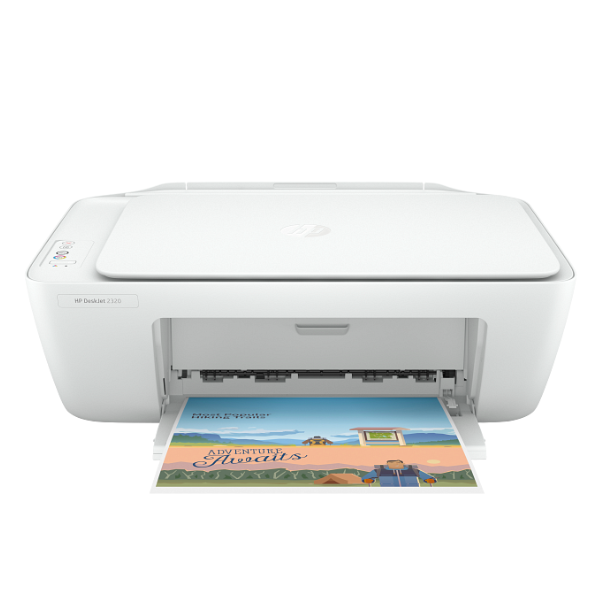
Product Description
Introducing the BRAND NEW HP DeskJet 2320 All-in-One Printer, the perfect solution for all your home and office tasks. This compact and reliable device brings you the convenience of high-quality printing, sharp scanning, and quick copying, all from one machine. It's designed to be incredibly simple to set up and use, so you can start working on your projects right out of the box. Whether you're printing school assignments for your children, official documents for work, or colourful photos for your family album, the DeskJet 2320 delivers consistent, impressive results every time.
Built for efficiency, this printer helps you save space with its sleek, modern design that fits perfectly on any desk or shelf. It uses affordable HP 305 ink cartridges, making it economical to run for your everyday printing needs. The flatbed scanner allows you to easily digitize documents and photos, while the copy function lets you make quick duplicates without needing a separate machine. With its straightforward USB connection, you can reliably connect to your computer and get printing in minutes.
Get the quality and reliability you expect from HP. This printer is a brand new, sealed unit, ready to tackle all your printing jobs. It's the smart, simple, and affordable choice for anyone in Uganda looking for a dependable all-in-one printer that gets the job done without any fuss. Upgrade your home office today with the versatile HP DeskJet 2320.
📖 HOW TO USE
1. Unbox the printer and carefully remove all blue tape and packaging materials.
2. Connect the included power cord to the printer and a wall outlet, then press the power button.
3. Open the printer cover and install the included HP 305 ink cartridges into their correct color-coded slots.
4. Load plain A4 paper into the rear input tray and adjust the paper guide.
5. Connect the printer to your computer using a USB 2.0 cable (sold separately) and follow the on-screen instructions or download the software from the HP support website.
💡 TIPS & CARE
• For the best print quality and to protect your printer, always use genuine HP 305 or 305XL ink cartridges.
• To save ink on everyday documents, use the 'Draft' quality setting in your printer properties.
• Print a page at least once every couple of weeks to prevent the ink from drying in the printhead.
• Keep the flatbed scanner glass clean with a soft, lint-free cloth for clear scans and copies.