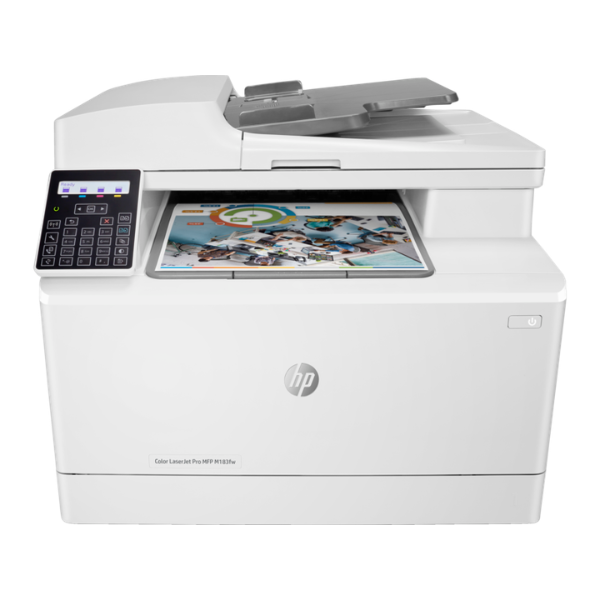
Product Description
Upgrade your small office or business in Uganda with the powerful and reliable HP Color LaserJet Pro MFP M183fw. This is a BRAND NEW, factory-sealed machine designed to handle all your document needs efficiently. Get vibrant color prints, sharp text, and professional-quality results every time.
This all-in-one powerhouse lets you print, copy, scan, and fax from a single compact device, saving you valuable space and money. With print speeds of up to 21 pages per minute for both black and color, you'll spend less time waiting and more time working. The 35-page automatic document feeder (ADF) makes scanning and copying multi-page documents a breeze, boosting your workflow and productivity.
Connecting to the M183fw is simple and flexible. Use the built-in dual-band Wi-Fi to print wirelessly from your computer or smartphone, connect directly to your office network via Ethernet, or use the high-speed USB port. With the HP Smart app, you can easily print documents and photos from the cloud, scan with your phone's camera, and check toner levels, all from your mobile device.
📖 HOW TO USE
1. Carefully unbox the printer and remove all blue packing tape and protective materials.
2. Install the included HP toner cartridges into their corresponding color-coded slots.
3. Load A4 paper into the main input tray and adjust the paper guides.
4. Connect the power cord, turn on the printer, and use the touchscreen to follow the initial setup instructions.
5. Connect to your Wi-Fi network using the on-screen guide or connect via an Ethernet cable for a wired network connection.
💡 TIPS & CARE
• For the best print quality and reliability, always use Genuine HP 215A Toner cartridges.
• Download the HP Smart app on your smartphone or PC to easily manage print jobs and monitor supplies.
• Utilize the Automatic Document Feeder (ADF) for fast scanning or copying of multiple pages at once.
• Keep the scanner glass clean with a soft, lint-free cloth to ensure crisp and clear scans and copies.




