
Printers
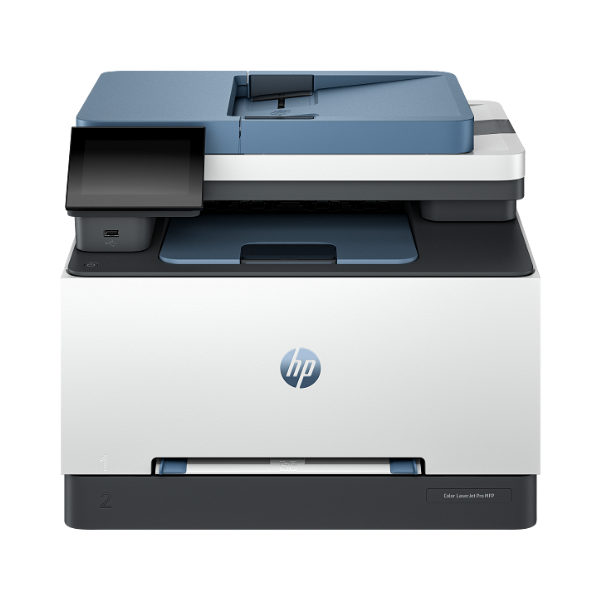
HP Color LaserJet Pro MFP 3303fdw Wireless All-in-One Printer
Functions: Print, Copy, Scan, Fax | Print Speed: Up to 25 ppm (Black and Color) | Connectivity: Wi-Fi, Ethernet, USB | Duplex Printing: Automatic (two-sided) | Automatic Document Feeder (ADF): 50-sheet capacity
No reviews yet
USh 2,686,000
1
Only 10 items left, hurry up!| Specification | Details | More Info | Remarks |
|---|---|---|---|
| Print Speed | Up to 25 ppm (black and color) | ||
| Monthly Duty Cycle | Up to 50,000 pages | ||
| Print Resolution | Up to 600 x 600 dpi | ||
| Paper Handling Output | 100-sheet output bin | ||
| Connectivity | Dual-band Wi-Fi, Gigabit Ethernet, Hi-Speed USB 2.0 | ||
| Supported Paper Sizes | A4, A5, A6, B5 (JIS), Letter, Legal | ||
| Functions | Print, Scan, Copy, Fax | ||
| Product Name | HP Color LaserJet Pro MFP 3303fdw Printer | ||
| Automatic Document Feeder (ADF) Capacity | 50 sheets | ||
| Scanner Type | Flatbed, ADF | ||
| Duplex Printing | Automatic (standard) | ||
| Print Technology | Laser | ||
| Condition | Brand New, Sealed | ||
| Color | White/Light Grey | ||
| Paper Handling Input | 250-sheet input tray | ||
| Warranty | 1 Year | ||
| Display | 2.7-inch color touchscreen |






