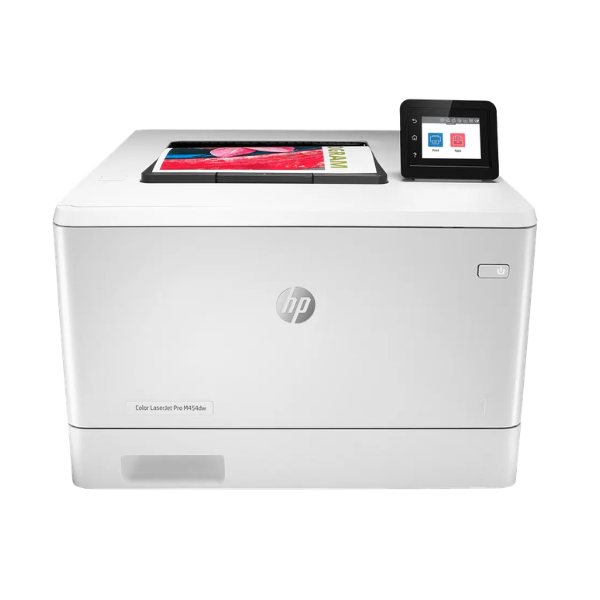
Product Description
Experience top-tier performance and brilliant color output with the BRAND NEW HP Color LaserJet Pro M454dw. Designed for small and medium-sized businesses in Uganda, this printer is built to keep your workflow moving. It delivers sharp text and vibrant color graphics at an impressive speed of up to 28 pages per minute, ensuring your reports, marketing materials, and invoices are ready in no time. Its robust design is perfect for handling demanding office environments, offering reliability you can count on day after day.
This printer is packed with features to enhance efficiency. The automatic two-sided (duplex) printing helps you save up to 50% on paper costs, a smart choice for any budget-conscious business. With built-in dual-band Wi-Fi and Wi-Fi Direct, you can easily print from anywhere in the office using your smartphone, tablet, or laptop via the HP Smart app. Security is also a priority, with features that help protect your network from intruders and keep your sensitive data safe.
Setting up and managing print jobs is simple with the intuitive 2.7-inch color touchscreen. Whether you're printing a quick document or a large batch of flyers, the HP M454dw provides consistent, high-quality results. This brand new, sealed unit is the perfect investment to upgrade your office equipment and streamline your printing tasks, giving your business a professional edge.
📖 HOW TO USE
1. Carefully unbox the printer and remove all packing materials and tape.
2. Install the included HP LaserJet toner cartridges into their corresponding color slots.
3. Load paper into the main input tray, adjusting the paper guides to fit the size.
4. Connect the power cord to the printer and plug it into a wall outlet, then turn the printer on.
5. Use the touchscreen to connect the printer to your Wi-Fi network or connect it via an Ethernet cable, then install the necessary drivers on your computer.
💡 TIPS & CARE
• For the best print quality and longevity, always use genuine HP toner cartridges.
• Regularly update the printer's firmware through the control panel to access the latest features and security updates.
• Use high-quality paper appropriate for laser printers to prevent jams and ensure crisp results.
• Position the printer in a well-ventilated area to prevent overheating during heavy use.




