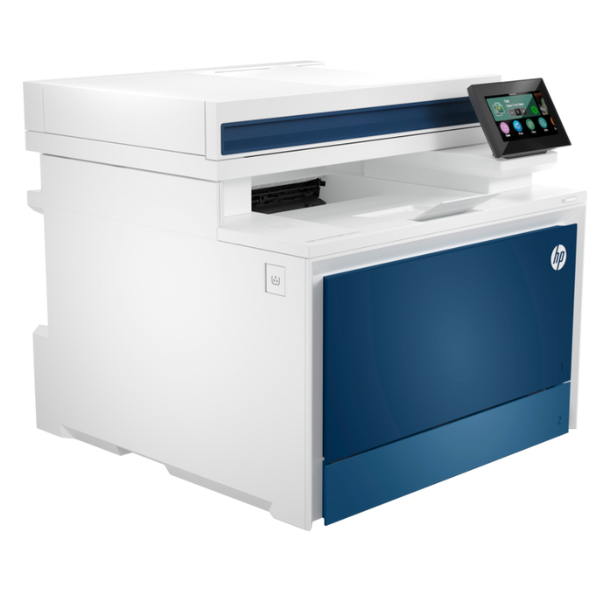
Product Description
Meet the ultimate productivity tool for your busy Ugandan office: the brand new HP Color LaserJet Pro 4303fdn. This is not just a printer; it's a complete document management hub designed to handle demanding workloads with ease. Experience incredibly fast printing speeds of up to 33 pages per minute for both black and color documents, so you can stop waiting and get more done.
Built for performance and quality, this multifunction printer delivers sharp text and vibrant color graphics that make your business proposals, marketing materials, and reports look truly professional. Key features include:
- Automatic Two-Sided Printing: Save time and cut your paper costs in half with automatic duplex printing.
- Robust Connectivity: Easily connect the printer to your office network using the built-in Gigabit Ethernet port, allowing your entire team to share its powerful features seamlessly.
- All-in-One Versatility: Handle any task with print, copy, scan, and fax capabilities all in one compact device. The 50-sheet automatic document feeder (ADF) makes scanning multi-page documents a breeze.
Investing in the HP Color LaserJet Pro 4303fdn means investing in efficiency. Its intuitive 4.3-inch color touchscreen simplifies navigation and job management, while its robust build ensures reliability for your day-to-day business operations. Get professional results, save resources, and empower your team with this brand new, sealed-in-box multifunction printer.
📖 HOW TO USE
1. Carefully unbox the brand new printer and remove all protective tapes and packaging materials.
2. Following the quick start guide, install the included HP toner cartridges into their designated slots.
3. Load A4 paper into the 250-sheet main input tray.
4. Connect the power cord to an outlet and the Ethernet cable from the printer to your network router or switch.
5. Power on the printer and use the color touchscreen to follow the on-screen setup wizard to configure language, region, and network settings.
💡 TIPS & CARE
• For optimal performance and to protect your warranty, always use genuine HP toner cartridges.
• Set automatic duplex (two-sided) printing as the default to significantly reduce paper consumption.
• Utilize the 'Scan to Email' or 'Scan to Network Folder' features directly from the touchscreen for efficient document digitization.
• Regularly check for and install firmware updates through the printer's control panel to ensure the latest features and security.