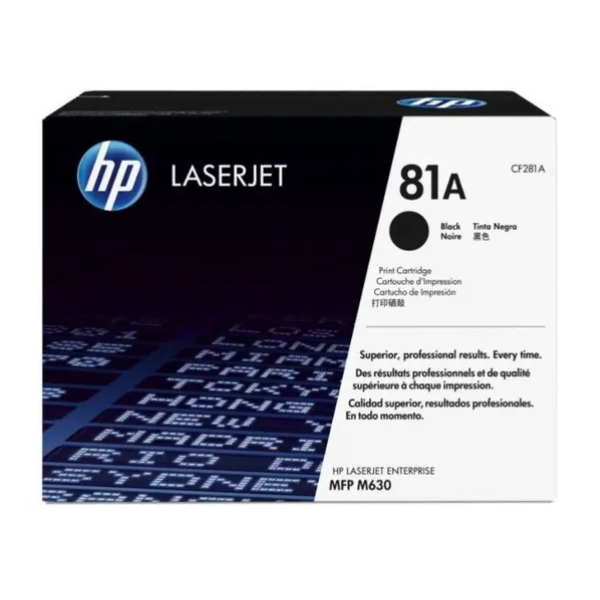
Product Description
Experience outstanding print quality and unmatched reliability with the BRAND NEW HP 81A Black Original LaserJet Toner Cartridge. Designed specifically for your HP printer, this genuine cartridge ensures every page you print is sharp, clear, and professional, from the first to the last. Avoid the risks of compatible or remanufactured cartridges and trust only original HP supplies for peak performance.
Built for high-volume printing environments, the HP 81A offers an impressive yield of approximately 10,500 pages, making it a cost-effective solution for your business in Uganda. This means less time spent replacing cartridges and more time focusing on your work. Its advanced toner formulation provides crisp black text and precise graphics, ensuring your reports, invoices, and documents always look their best. This is a brand new, factory-sealed product, guaranteeing you get the quality and longevity you expect from HP.
Installing the cartridge is quick and easy, minimizing downtime and keeping your office productive. By using genuine HP toner, you also help protect your printer from potential damage caused by non-original cartridges, ensuring your investment lasts longer. Choose the HP 81A for consistent, trouble-free printing you can always count on.
📖 HOW TO USE
1. Before starting, ensure your printer is powered on. If not, turn it on.
2. Open the front access panel of your HP LaserJet printer to access the toner cartridge.
3. Grasp the handle of the old toner cartridge and pull it straight out to remove it.
4. Unpack your brand new HP 81A toner cartridge from its box and protective bag. Remove the orange protective plastic shield and pull the sealing tape straight out.
5. Gently rock the new cartridge back and forth 5-6 times to distribute the toner evenly inside.
6. Align the new cartridge with the tracks inside the printer and slide it in firmly until it clicks into place.
7. Close the printer's front access panel. The printer will initialize and be ready to print in a moment.
💡 TIPS & CARE
• For optimal print quality, use high-quality paper such as HP LaserJet Paper.
• Store the unopened cartridge in a cool, dry place, away from direct sunlight.
• To maximize page yield, use your printer's 'EconoMode' for draft documents.
• Always purchase genuine HP cartridges to protect your printer's warranty and ensure its longevity.





