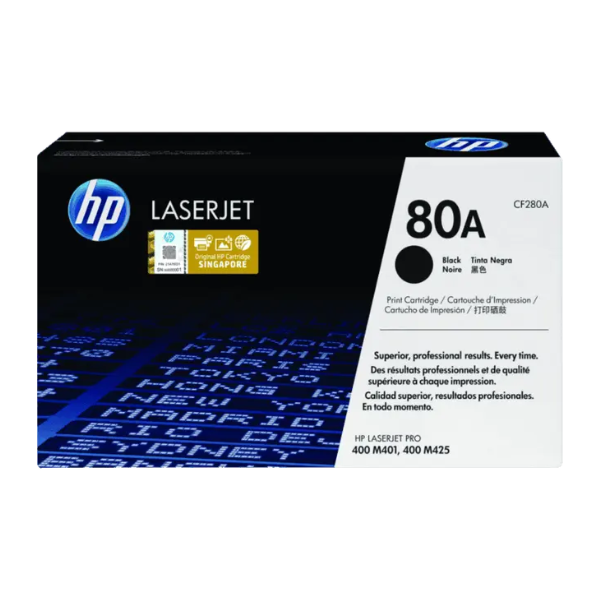
Product Description
Elevate your business documents with the reliability and quality of a BRAND NEW HP 80A Black Original LaserJet Toner Cartridge (CF280A). Designed to work flawlessly with your HP printer, this genuine toner ensures every page you print is sharp, clear, and professional, from the first to the last.
Why settle for less? Original HP toner is engineered to deliver consistent yields and outstanding print quality, helping you avoid reprints and wasted supplies. This saves you time, paper, and money, making it a smart choice for any busy office in Uganda. The cartridge is easy to install and replace, minimizing downtime and keeping your productivity high.
- Professional Quality: Produces crisp black text and sharp graphics for all your reports, invoices, and presentations.
- Consistent Performance: Count on reliable results and a consistent page yield of approximately 2,700 pages.
- Seamless Integration: Designed specifically for your HP LaserJet Pro printer, ensuring optimal performance and protecting your investment.
Invest in the best for your printer. This brand new, sealed HP 80A toner cartridge is your guarantee for trouble-free printing and impressive results every single time.
📖 HOW TO USE
1. Open the front cover of your HP LaserJet Pro printer.
2. Grasp the handle of the old toner cartridge and pull it straight out to remove it.
3. Unpack the new HP 80A toner cartridge from its box and protective bag.
4. Gently rock the new cartridge back and forth 5-6 times to distribute the toner evenly inside.
5. Pull the entire sealing tape straight out from the side of the cartridge.
6. Align the new cartridge with the tracks inside the printer and slide it in until it clicks firmly into place.
7. Close the printer cover and you are ready to print.
💡 TIPS & CARE
• For best results, use genuine HP paper with your original HP toner.
• Store unopened toner cartridges in a cool, dry place, away from direct sunlight.
• Shake the cartridge gently before installation to ensure even toner distribution.
• Consider enabling your printer's 'EconoMode' for draft documents to save toner.





