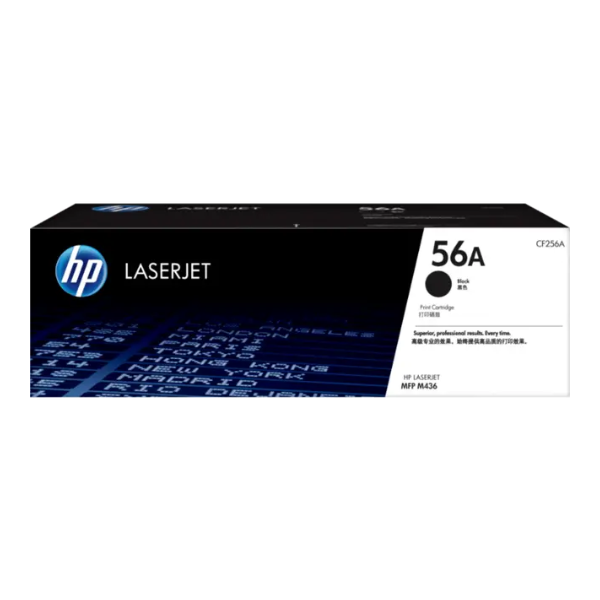
Product Description
Keep your office productive and your printing costs low with the BRAND NEW HP 56A Black Original LaserJet Toner Cartridge. This genuine HP cartridge is engineered to work perfectly with your HP printer, delivering sharp text and clear graphics from the first page to the last. Stop worrying about smudges, leaks, or faded prints that you might get from non-genuine cartridges. With original HP toner, you get reliability you can count on.
Designed for businesses and individuals in Uganda who demand quality, the HP 56A offers an impressive page yield of approximately 7,400 pages. This means less time spent replacing cartridges and more time focusing on your work. It's the ideal choice for printing reports, invoices, and everyday business documents with professional precision. Investing in an original HP cartridge also helps protect your printer from potential damage caused by imitations, saving you money on costly repairs in the long run.
This is a brand new, factory-sealed product, ensuring you receive the highest quality and performance as intended by HP. Installation is quick and easy, so you can get back to printing in just a few moments. For consistent, high-quality results and peace of mind, always choose Original HP Toner for your HP LaserJet printer.
📖 HOW TO USE
1. Power off your printer before starting.
2. Open the printer's front or top cover to access the toner cartridge area.
3. Gently pull out the old, used toner cartridge by its handle.
4. Unpack the new HP 56A cartridge from its box and protective bag. Gently shake it horizontally 5-6 times to distribute the toner evenly.
5. Remove the protective sealing tape from the new cartridge and insert it firmly into the printer until it clicks into place. Close the printer cover.
💡 TIPS & CARE
• Always use genuine HP cartridges to ensure the best print quality and protect your printer's warranty.
• Store unopened toner cartridges in a cool, dry place, away from direct sunlight.
• To maximize cartridge life, enable 'Toner Save' mode in your printer's settings for draft documents.
• Stock up on an extra cartridge to avoid work interruptions when your current one runs out.





