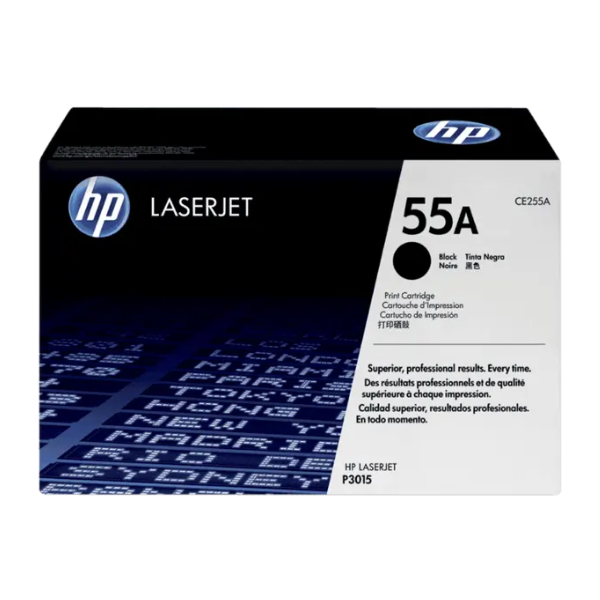
Product Description
Experience the unmatched reliability and quality of a BRAND NEW HP 55A Black Original LaserJet Toner Cartridge (CE255A). Designed to work flawlessly with your HP printer, this genuine toner ensures you get crisp, sharp black text and professional-grade documents from the first page to the last. Avoid the frustration of reprints, wasted supplies, and costly printer damage that can be caused by non-original cartridges. This is the ideal choice for any busy office in Uganda that values efficiency and high-quality results.
With a standard page yield of approximately 6,000 pages, the HP 55A toner cartridge offers an excellent balance of performance and value, keeping your productivity high and your printing costs low. Each cartridge is built with precision to deliver consistent output, ensuring your reports, invoices, and presentations always look their best. Being a brand new, sealed product, you can be confident you are getting the peak performance and longevity that only a genuine HP product can provide.
Installation is quick and easy, allowing you to get back to work in minutes. Simply unbox the new cartridge, remove the protective seals, and insert it into your compatible HP LaserJet printer. Trust in HP's legendary quality for worry-free printing that helps your business move forward.
📖 HOW TO USE
1. Turn off your printer and open the toner access door.
2. Grasp the handle of the old toner cartridge and pull it straight out to remove it.
3. Unpack the new HP 55A toner cartridge from its box and protective bag.
4. Gently shake the new cartridge back and forth 5-6 times to distribute the toner evenly.
5. Pull the entire sealing tape straight out from the side of the cartridge.
6. Align the new cartridge with the tracks inside the printer and slide it in until it clicks securely into place.
7. Close the printer's access door and turn the power back on.
💡 TIPS & CARE
• Always confirm your printer model is compatible with the HP 55A cartridge before purchasing.
• Store the spare cartridge horizontally in a cool, dark place until you are ready to use it.
• For best results, use high-quality paper like HP LaserJet Paper.
• To maximize cartridge life, consider using your printer's 'EconoMode' for draft documents.





