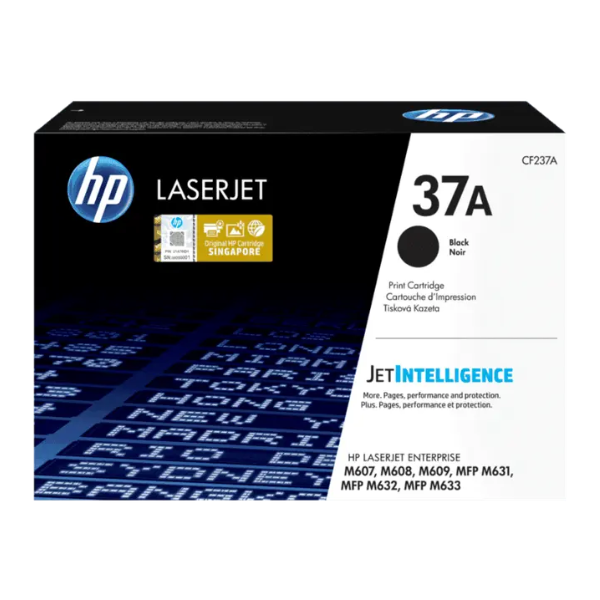
Product Description
Keep your office productive with the BRAND NEW HP 37A Black Original LaserJet Toner Cartridge. This genuine HP cartridge is engineered to work perfectly with your HP printer, delivering outstanding results and consistent performance you can count on. Say goodbye to reprints, wasted supplies, and costly delays. With a page yield of approximately 11,000 pages, this cartridge is ideal for busy work environments in Uganda, ensuring you can print high volumes of documents without frequent replacements.
Experience the difference of original HP toner. Each page will have sharp, black text and professional-quality graphics, making your business documents look their best. The HP 37A cartridge is designed for reliability, minimizing downtime and maximizing efficiency. Because it's a brand new, sealed product, you are guaranteed the quality and performance that only genuine HP supplies can provide.
- Consistent Quality: Enjoy reliable performance and professional-quality results every time.
- High Page Yield: Print up to 11,000 pages, perfect for high-volume office printing needs.
- Perfect Compatibility: Designed specifically for HP LaserJet Enterprise printers to ensure seamless operation.
- Cost-Effective: Avoid the hidden costs of non-original cartridges, such as poor print quality and printer damage.
📖 HOW TO USE
1. Unpack the new BRAND NEW cartridge from its sealed packaging.
2. Gently shake the cartridge from side to side 5-6 times to distribute the toner evenly.
3. Pull the entire sealing tape straight out from the side of the cartridge.
4. Open the printer's top cover and remove the old toner cartridge.
5. Insert the new cartridge firmly into the correct slot until it clicks into place, then close the printer cover.
💡 TIPS & CARE
• For best results, always use genuine HP cartridges with your HP printer.
• Store unopened cartridges in a cool, dry place, away from direct sunlight.
• Keep the cartridge in its original sealed packaging until you are ready to install it.
• To maximize cartridge life, enable 'EconoMode' for draft documents in your printer settings.





