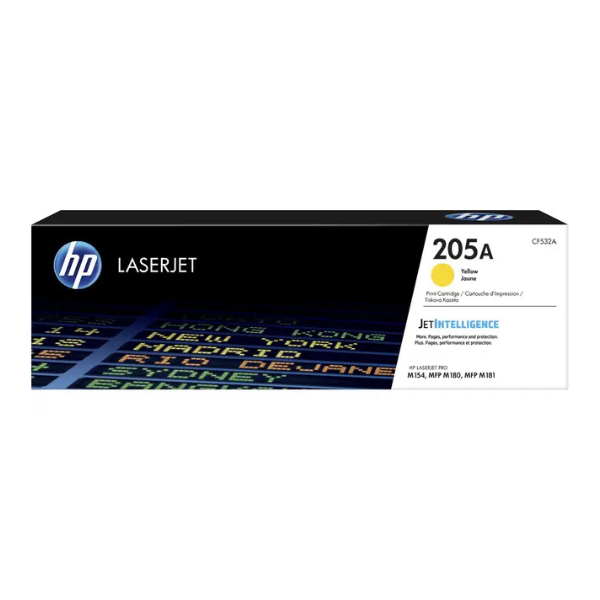
Product Description
Bring your documents and marketing materials to life with the BRAND NEW HP 205A Yellow Original LaserJet Toner Cartridge. Engineered specifically for your HP printer, this genuine cartridge delivers the legendary quality and reliability you expect from HP. Say goodbye to faded prints, smudges, and streaks that you might get from non-genuine alternatives.
This toner cartridge is perfect for homes and small offices in Uganda that need to produce consistently brilliant colour documents, from business reports and presentations to colourful flyers. The precision-engineered toner particles ensure sharp text and vibrant graphics from the first page to the last. Using original HP toner also helps protect your printer's internal components from damage, saving you from costly repairs down the line and ensuring a longer life for your valuable equipment.
With an approximate yield of 900 pages, the HP 205A offers great value and reduces the frequency of replacements, letting you focus on your work. Trust in a brand new, sealed HP product for peak performance and peace of mind.
📖 HOW TO USE
1. Turn off your HP LaserJet printer and open the toner access door.
2. Grasp the handle of the old toner cartridge and pull it straight out to remove it.
3. Unpack the new HP 205A cartridge from its box and protective bag. Do not touch the imaging drum.
4. Gently rock the new cartridge back and forth 5-6 times to distribute the toner evenly inside.
5. Remove the orange plastic shield and pull the sealing tape straight out from the side of the cartridge.
6. Align the new cartridge with the tracks inside the printer and slide it in until it clicks firmly into place.
7. Close the printer's toner access door and turn the power back on. Run a test print to confirm.
💡 TIPS & CARE
• For best results, use genuine HP paper which is designed to work perfectly with HP toner.
• Store unopened toner cartridges in a cool, dry place, away from direct sunlight.
• To maximize toner life, consider using your printer's 'Draft' or 'EconoMode' for non-essential internal documents.
• Avoid touching the shiny green imaging drum on the bottom of the cartridge, as fingerprints can affect print quality.





