Product Description
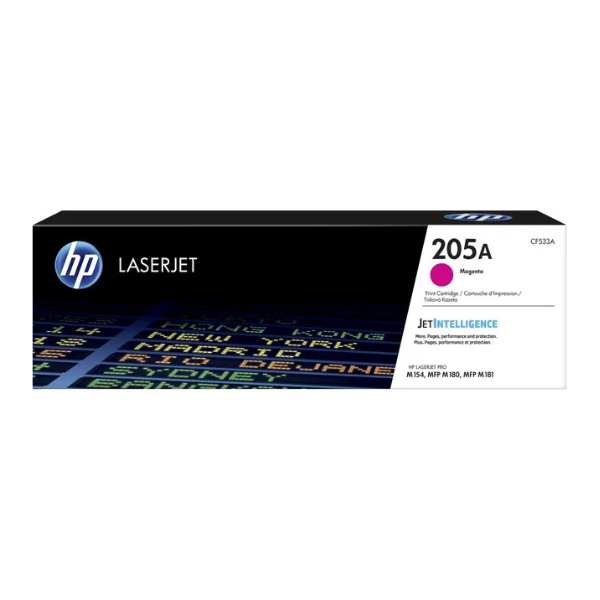
Bring your documents and marketing materials to life with the HP 205A Magenta Original LaserJet Toner Cartridge. This is a BRAND NEW, sealed product, engineered to work perfectly with your HP printer, delivering consistent, high-quality results from the first page to the last. Say goodbye to faded prints and wasted supplies; with genuine HP toner, you get the vibrant, crisp magenta colour you expect every time.
Designed for optimal performance, this cartridge helps you produce professional-quality documents with sharp text and brilliant graphics. Its reliability means less downtime and more productivity for your home or office. Trust in Original HP cartridges to protect your printer investment and deliver outstanding value.
- Vibrant Colour: Produces brilliant, eye-catching magenta hues for all your colour documents.
- Consistent Performance: Engineered for reliability, ensuring every page meets HP's high standards.
- High Yield: Prints approximately 900 pages, making it a cost-effective choice for regular printing needs.
- Perfect Compatibility: Works seamlessly with select HP Color LaserJet Pro printers to avoid smudges, leaks, or defects.
📖 HOW TO USE
1. Before starting, ensure your printer is powered on.
2. Open the front cover or toner access door of your LaserJet printer.
3. Grasp the handle of the old magenta toner cartridge and pull it straight out to remove it.
4. Unpack the new HP 205A cartridge from its box and protective bag. Remove the orange protective plastic clip and pull the sealing tape straight out.
5. Gently rock the new cartridge back and forth 5-6 times to distribute the toner evenly inside, then insert it into the correct slot until it clicks securely into place.
6. Close the printer's front cover. The printer will initialize, and you can resume printing.
💡 TIPS & CARE
• For best results, use with genuine HP paper.
• Store unopened toner cartridges in a cool, dry place, away from direct sunlight.
• Avoid touching the green imaging drum on the bottom of the cartridge to prevent print quality issues.
• To maximize cartridge life, enable 'EconoMode' for draft documents in your printer settings.





