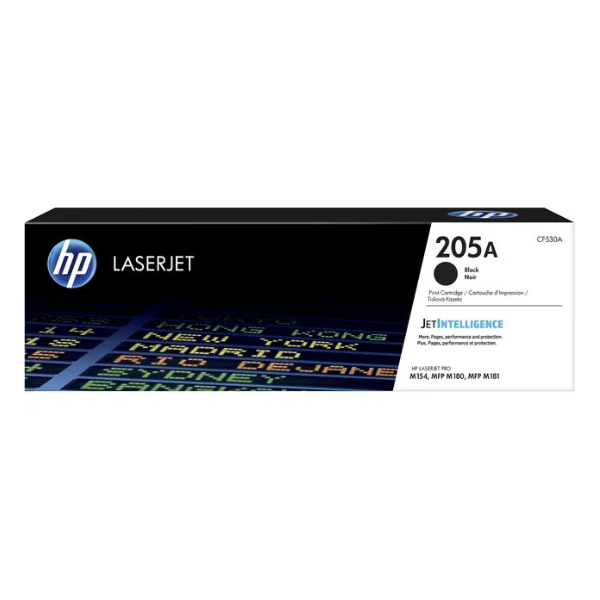
Product Description
Get the best performance from your HP LaserJet printer with the brand new, sealed HP 205A Black Original Toner Cartridge. Engineered specifically for your printer, this genuine HP cartridge delivers sharp text and clear graphics from the first page to the last. Say goodbye to smudges, leaks, and defects that can come with non-original cartridges.
This cartridge is perfect for any home or office in Uganda that values quality and reliability. Whether you are printing important business reports, school assignments, or everyday documents, the HP 205A ensures consistent, professional results every time. Its standard yield of approximately 1,100 pages makes it a cost-effective choice for moderate printing needs, helping you manage your budget without sacrificing quality.
Choosing a genuine HP toner means you are protecting your printer investment. These cartridges are designed to work flawlessly with HP printers, preventing potential damage and ensuring your machine runs smoothly. Installation is quick and easy, so you can get back to printing in no time. Trust only original HP supplies for peak performance.
📖 HOW TO USE
1. Open the front cover of your HP LaserJet printer.
2. Grasp the handle of the old toner cartridge and pull it straight out to remove.
3. Unpack the new HP 205A cartridge from its box and protective bag.
4. Gently shake the new cartridge back and forth 5-6 times to distribute the toner evenly.
5. Remove the orange protective plastic seal by pulling the tab.
6. Align the new cartridge with the tracks inside the printer and slide it in until it is firmly seated.
7. Close the printer's front cover. You are now ready to print.
💡 TIPS & CARE
• Always check your printer model for compatibility before purchasing.
• Store the cartridge in its original sealed packaging in a cool, dry place until you are ready to use it.
• For best results, use genuine HP paper with your genuine HP toner.
• Recycle your used HP cartridges through HP's Planet Partners program if available.





