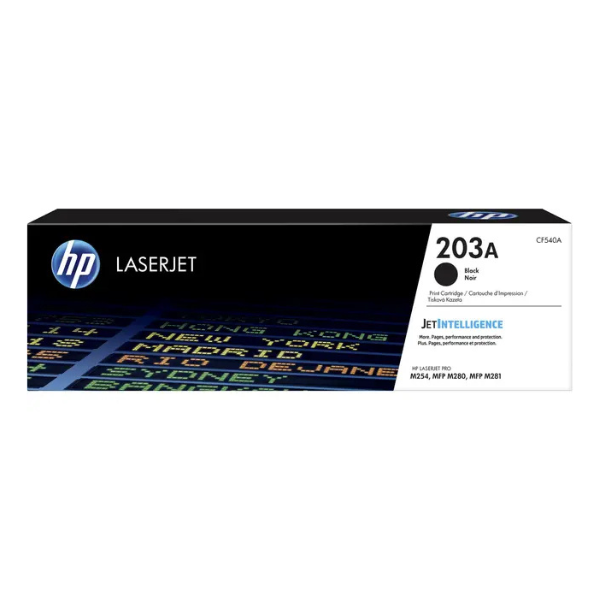
Product Description
Get the best performance from your HP printer with the brand new, sealed HP 203A Black Original LaserJet Toner Cartridge (CF540A). This genuine HP toner is engineered specifically for your HP LaserJet Pro printer, ensuring you get sharp, clear, and professional-quality documents from the first page to the last.
Why settle for less? Original HP toner cartridges are designed for reliability, helping you avoid reprints, wasted supplies, and costly delays. This cartridge delivers consistent results, making it perfect for printing everything from office reports and invoices to school projects and presentations. The installation is quick and easy, so you can get back to what matters most without any hassle.
With a page yield of approximately 1,400 pages, this standard-yield cartridge is an excellent choice for homes and small offices in Uganda that value quality and dependability. Trust in HP's renowned quality to produce impressive results every time you print.
📖 HOW TO USE
1. Turn off your printer before starting.
2. Open the printer's front cover to access the toner cartridge tray.
3. Gently pull out the old toner cartridge.
4. Unpack the new HP 203A cartridge and remove all protective packaging and the sealing tape.
5. Gently shake the new cartridge back and forth 5-6 times to distribute the toner evenly.
6. Insert the new cartridge firmly into the correct slot until it clicks into place.
7. Close the printer cover and turn the printer back on. You are ready to print.
💡 TIPS & CARE
• Always use genuine HP cartridges to ensure the best print quality and protect your printer.
• Store the toner cartridge in a cool, dry place in its original packaging until you are ready to use it.
• To maximize cartridge life, use your printer's 'Toner Save' or 'Draft' mode for non-critical documents.
• Recycle your used HP cartridges through an official HP Planet Partners program if available.





