Product Description
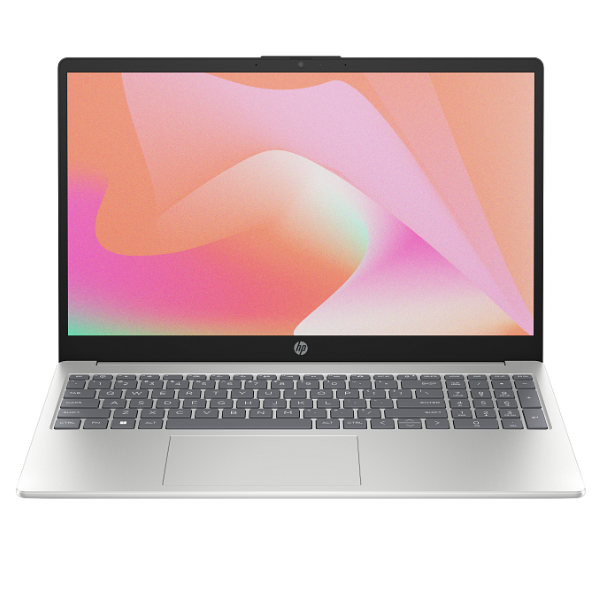
Unleash your productivity and elevate your daily computing experience with the BRAND NEW HP 15-fd0662nia Laptop. Designed for efficiency and reliability, this sleek silver clamshell laptop is powered by a capable Intel Core 5-120U processor, ensuring smooth multitasking, swift application launches, and responsive performance whether you're working, studying, or enjoying your favorite entertainment. With 8GB of high-speed DDR4 RAM, you can effortlessly switch between applications and handle demanding tasks without a hitch. The generous 512GB NVMe Solid State Drive provides ample storage for all your documents, photos, and videos, while offering lightning-fast boot-up times and data access.
Immerse yourself in vibrant visuals on the crisp 15.6-inch Full HD display, perfect for browsing the web, streaming movies, or tackling creative projects with clarity. The HP 15-fd0662nia is built with a focus on practical functionality and durability, making it an ideal companion for students, professionals, and home users in Uganda. Its slim and lightweight design ensures portability, allowing you to carry your work or entertainment wherever you go. Enjoy long-lasting battery life to keep you productive throughout your day, and stay connected with essential ports and wireless capabilities. This laptop comes BRAND NEW and SEALED, ready to deliver exceptional value and performance straight out of the box.
Experience the quality and reliability that HP is known for, ensuring a seamless computing journey. From online learning and video conferencing to managing spreadsheets and casual gaming, the HP 15-fd0662nia is engineered to meet your everyday needs with style and efficiency. Its user-friendly interface, backed by the latest Windows 11 Home operating system, provides a modern and intuitive environment for all your digital activities. Get yours today and step into a world of enhanced performance and convenience.
📖 HOW TO USE
1. Unpack the laptop and connect the power adapter.
2. Press the power button to turn on the laptop.
3. Follow the on-screen prompts to complete Windows 11 setup (select language, connect to Wi-Fi, create user account).
4. Install necessary software and applications.
5. Keep the operating system and drivers updated for optimal performance.
💡 TIPS & CARE
• Always use a surge protector to protect your laptop from power fluctuations.
• Regularly back up important data to an external drive or cloud storage.
• Keep the laptop's ventilation clear to prevent overheating.
• Consider using a laptop cooling pad for extended use.
• Install reliable antivirus software for internet security.