
IP phones
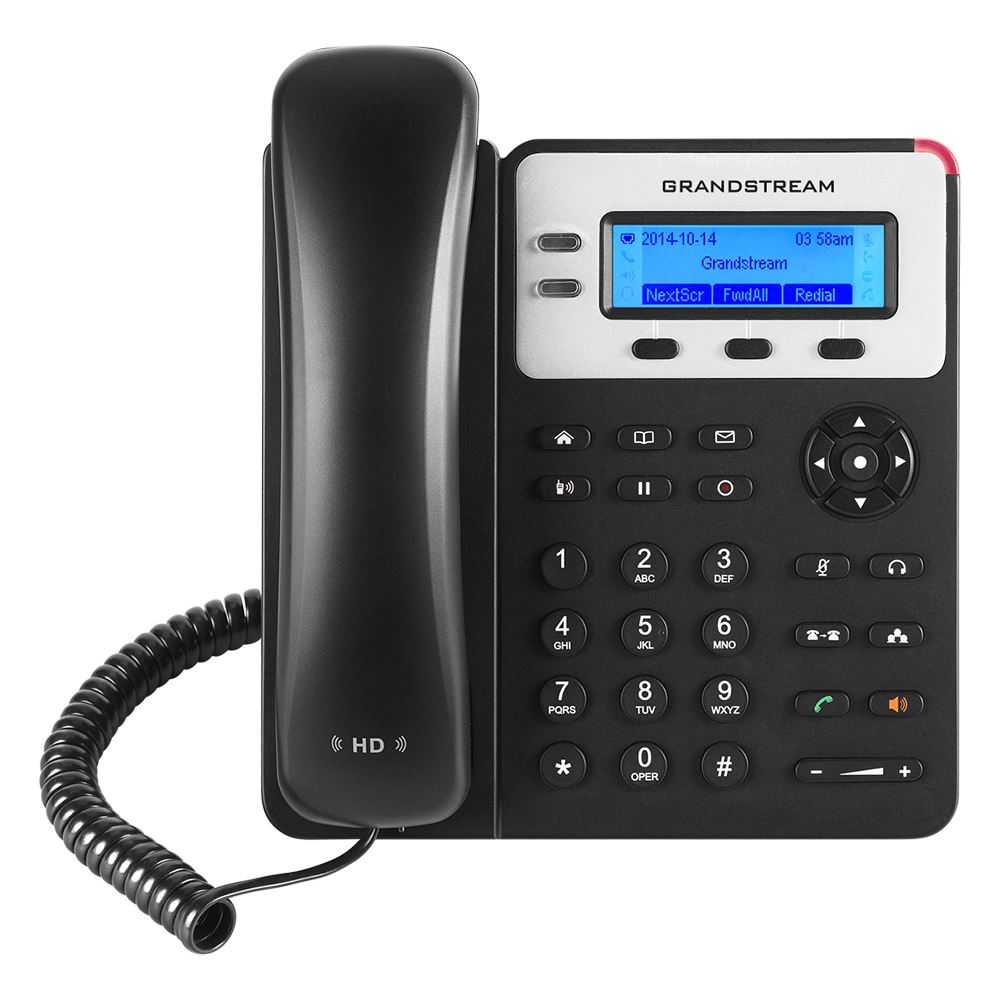
Grandstream GXP1620/GXP1625 HD IP Phone with 2 Lines
Supports 2 SIP accounts and up to 2 call appearances | Crystal clear HD audio on both handset and speakerphone | 132x48 pixel backlit graphical LCD display for easy viewing | Dual-switched 10/100 Mbps Ethernet ports | Integrated Power-over-Ethernet (PoE) on GXP1625 model
No reviews yet
USh 423,000
1
Only 10 items left, hurry up!| Specification | Details | More Info | Remarks |
|---|---|---|---|
| Product Name | Grandstream GXP1620/GXP1625 HD IP Phone | ||
| Voice Codecs | G.729A/B, G.711µ/a-law, G.726, G.722 (wide-band), G.723, iLBC, Opus, in-band and out-of-band DTMF (in audio, RFC2833, SIP INFO) | ||
| Color | Black | ||
| Ethernet Ports | Dual-switched 10/100 Mbps auto-sensing ports | ||
| Display | 132 x 48 pixel backlit graphical LCD | ||
| HD Audio | Yes, HD handset and speakerphone with support for wideband audio | ||
| Headset Jack | RJ9 headset jack | ||
| Power over Ethernet (PoE) | Integrated on GXP1625 model only | ||
| Condition | Brand New, Sealed | ||
| Warranty | 1 Year | ||
| Telephony Features | 3-way audio conferencing, call hold, transfer, forward, call waiting, call park/pickup, downloadable phonebook (XML, LDAP, up to 1000 items) | ||
| SIP Accounts | 2 |
