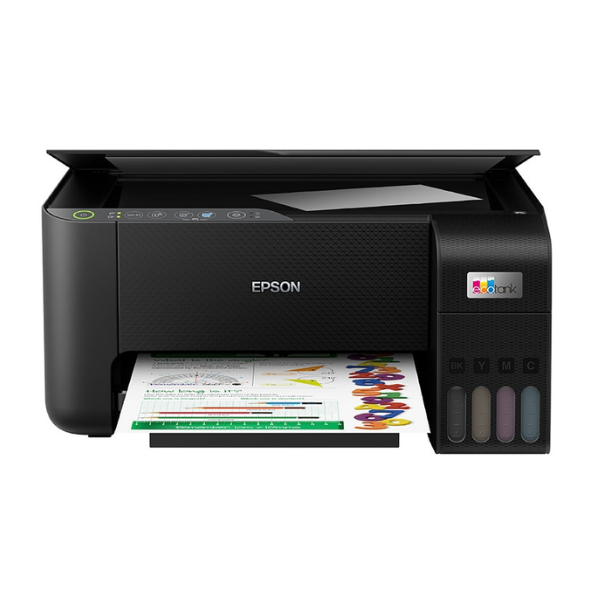
Product Description
Meet the brand new Epson L3250 All-in-One Ink Tank Printer, your ultimate solution for affordable and high-quality printing in Uganda. Say goodbye to expensive cartridges! This printer features Epson's revolutionary EcoTank system, which uses large, refillable ink tanks to deliver an incredibly low cost per page. It's the perfect choice for busy homes, students with lots of projects, and small businesses looking to cut down on operational costs without compromising on quality.
This is more than just a printer; it's a complete workstation. You can print, scan, and copy all from one compact device. With its built-in Wi-Fi and Wi-Fi Direct capabilities, you can easily print from your laptop, tablet, or even your smartphone from anywhere in your home or office. The setup is simple with the Epson Smart Panel app. The front-facing ink tanks are designed for easy, mess-free refilling, so you can see ink levels at a glance and top them up without any hassle.
Imagine printing thousands of pages without worrying about running out of ink. The Epson L3250 comes with enough ink in the box to print up to 8,100 pages in black and 6,500 pages in colour. Whether you're printing school assignments, business reports, or family photos, you can rely on Epson's Micro Piezo heat-free technology to deliver sharp text and vibrant colours every time. This brand new, sealed unit is built for reliability and efficiency, making it a smart investment for anyone who needs dependable printing day after day.
📖 HOW TO USE
1. Carefully unbox the printer and remove all protective tapes and materials.
2. Fill the ink tanks using the provided genuine Epson ink bottles. Each bottle is keyed to only fit the correct color tank.
3. Plug in the power cord, turn on the printer, and wait for it to initialize.
4. Follow the on-screen instructions or use the Epson Smart Panel app on your phone to connect the printer to your Wi-Fi network.
5. Load paper into the rear input tray and you are ready to print, scan, or copy.
💡 TIPS & CARE
• Always use genuine Epson 103 ink bottles to ensure the best print quality and longevity of your printer.
• Print a test page once a week to prevent the print head nozzles from clogging.
• Download the Epson Smart Panel app on your smartphone for easy mobile printing and printer management.
• For best results, use high-quality paper appropriate for your printing task (e.g., photo paper for photos).




