Product Description
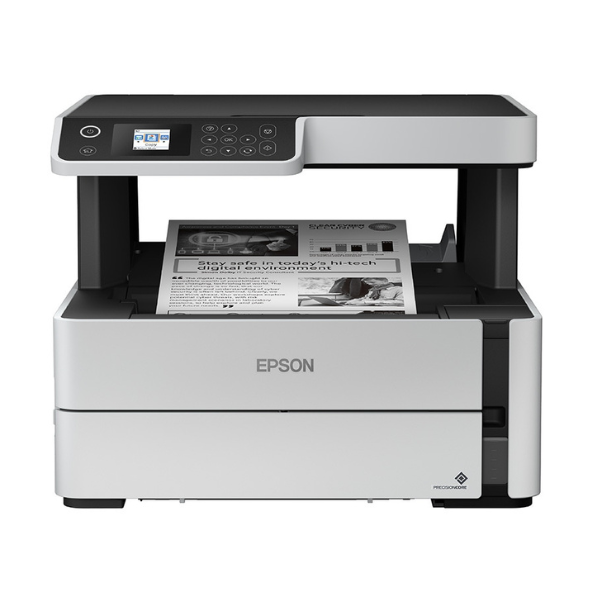
Meet your new office workhorse, the BRAND NEW Epson EcoTank M2140. Designed for businesses and busy homes in Uganda, this printer dramatically reduces your printing costs thanks to its innovative ink tank system. Forget expensive cartridges; one set of affordable ink bottles prints thousands of pages, saving you serious money and time.
Powered by Epson's PrecisionCore technology, the M2140 delivers laser-sharp text quality at an impressive resolution of 1200 x 2400 dpi. Speed through your tasks with a print speed of 20 images per minute and cut your paper usage in half with the convenient automatic duplex (2-sided) printing feature. This is more than just a printer; it's a complete Print, Scan, and Copy solution built for efficiency.
This brand new, sealed unit is built to last. With a large 250-sheet paper tray, you'll spend less time refilling paper and more time being productive. Its compact design fits perfectly in any workspace, making it the ideal choice for small businesses, schools, and home offices looking for reliable, high-volume, and incredibly economical printing.
📖 HOW TO USE
1. Carefully unbox the printer and remove all protective tapes and materials.
2. Fill the ink tank with the provided high-yield Epson ink bottle. The unique key-lock bottle makes it spill-free and error-free.
3. Plug in the power cord and turn on the printer.
4. Connect the printer to your computer using a USB cable.
5. Install the necessary drivers and software from the Epson website for full functionality.
💡 TIPS & CARE
• Always use genuine Epson ink refills to ensure the best print quality and prolong the printer's life.
• To save paper and costs, set automatic 2-sided printing as your default option for most documents.
• Print a page at least once a week to keep the printhead nozzles clear and prevent ink from drying.
• Use the copy function to quickly duplicate important documents like IDs or receipts without needing a computer.




