Product Description
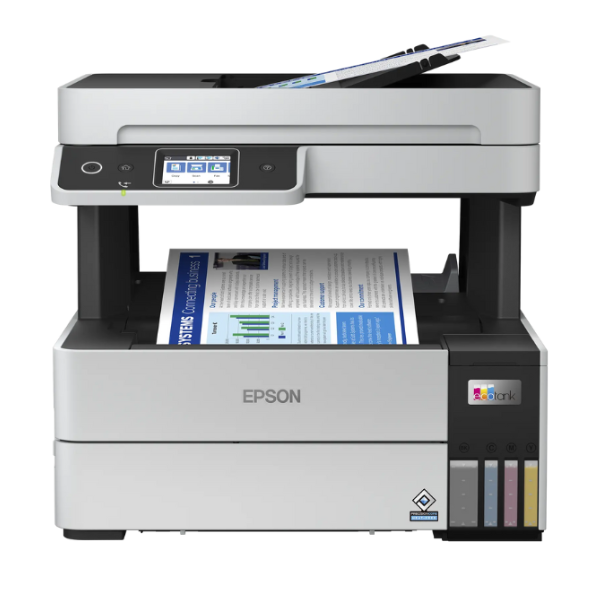
Meet the ultimate printing solution for your home or small office in Uganda – the BRAND NEW Epson EcoTank L6490. Say goodbye to expensive cartridges and hello to incredible savings! This powerful 4-in-1 multifunction printer is designed to handle all your printing, scanning, copying, and faxing needs with exceptional efficiency and quality.
The revolutionary EcoTank system comes with high-yield ink bottles, allowing you to print up to an astounding 13,300 pages in black and 5,200 pages in colour right out of the box. This means you can print for months, or even years, before needing a refill, drastically reducing your running costs. With Epson's PrecisionCore Heat-Free Technology, you get sharp, laser-quality text and vibrant colour graphics at impressive speeds, all while consuming less power.
Connectivity is seamless. Print wirelessly from your laptop, tablet, or smartphone using Wi-Fi and Wi-Fi Direct, or connect it to your office network via Ethernet for easy sharing. Features like the 35-sheet Automatic Document Feeder (ADF) and automatic duplex printing save you time and paper, making large tasks effortless. This brand new, sealed unit is built for reliability and performance, making it the perfect investment to boost your productivity.
📖 HOW TO USE
1. Carefully unbox the printer and remove all blue protective tapes and packaging materials.
2. Fill the ink tanks using the corresponding colour-coded, spill-free Epson ink bottles. The bottles are keyed to prevent misfilling.
3. Plug in the power cord, turn on the printer, and follow the on-screen prompts on the LCD screen to initialize the ink system.
4. Load A4 paper into the paper tray.
5. Connect the printer to your Wi-Fi network using the on-screen wizard, or connect via an Ethernet cable for a wired connection. Install the drivers on your computer or download the Epson Smart Panel app on your phone to complete setup and start printing.
💡 TIPS & CARE
• For best results and to protect your warranty, always use genuine Epson ink bottles.
• Perform a nozzle check and head cleaning via the printer's maintenance menu if you notice any decline in print quality.
• Keep the printer connected to your network to receive important firmware updates from Epson.
• Avoid letting the ink levels run completely empty to prevent air from entering the system.




