Product Description
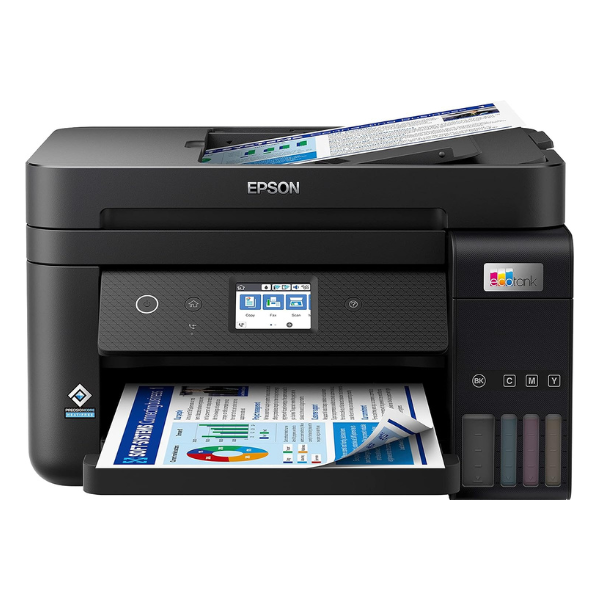
Meet the revolutionary, brand new Epson EcoTank L6290, designed to bring efficiency and savings to your home or office. Say goodbye to expensive cartridges with its integrated high-capacity ink tank system. This printer comes with enough ink in the box to print thousands of pages, dramatically lowering your printing costs from day one. It's the smart choice for anyone in Uganda looking for reliable, high-volume printing without the high running costs.
Powered by Epson's PrecisionCore Heat-Free Technology, the L6290 delivers sharp, professional-quality text and vibrant colour graphics at impressive speeds of up to 15.5 images per minute for black and 8.5 for colour. Boost your productivity with features like automatic two-sided (duplex) printing to save paper, and a 30-page Automatic Document Feeder (ADF) to effortlessly handle multi-page scanning, copying, and faxing. The 2.4" colour LCD screen makes navigating tasks simple and intuitive.
Connectivity is made easy with the L6290. Print from anywhere in your office with Wi-Fi and Ethernet, or print directly from your mobile devices without a network using Wi-Fi Direct. The Epson Smart Panel app turns your phone or tablet into a powerful command centre, allowing you to print, copy, scan, and manage your printer settings with ease. This brand new, sealed unit is a complete, high-performance solution for all your document needs.
📖 HOW TO USE
1. Carefully unbox the printer and remove all blue protective tapes and materials.
2. Fill the corresponding ink tanks with the included genuine Epson ink bottles. The bottles are keyed to prevent misfilling.
3. Plug in the power cord, turn on the printer, and follow the on-screen instructions on the LCD to initialize the system.
4. Load paper into the paper tray.
5. Connect the printer to your Wi-Fi network using the on-screen wizard or install the drivers on your computer to set up a USB or Ethernet connection.
💡 TIPS & CARE
• Always use genuine Epson ink bottles to ensure optimal print quality and protect the printhead.
• To maintain performance, print a few pages in both black and colour at least once a week.
• Use the Epson Smart Panel app on your smartphone for easy setup, monitoring, and printing.
• For best results when scanning multiple pages, ensure the documents are straight and not stapled before placing them in the ADF.




