Product Description
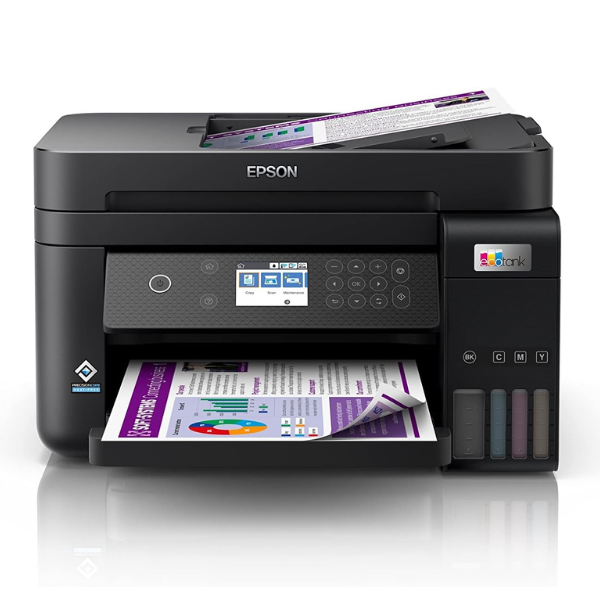
Upgrade your home or small office in Uganda with the revolutionary, BRAND NEW Epson EcoTank L6270 All-in-One printer. Say goodbye to expensive and frustrating ink cartridges forever! This printer features large, integrated ink tanks that you can easily refill with low-cost ink bottles, saving you up to 90% on printing costs right out of the box.
Engineered for productivity, the L6270 is packed with features to make your work easier. Its PrecisionCore Heat-Free Technology delivers sharp text and brilliant colour photos at impressive speeds of up to 15.5 pages per minute. Key features include:
- Automatic Duplex Printing: Save time and paper by automatically printing on both sides.
- 30-Page ADF: Effortlessly scan or copy multi-page documents without feeding them one by one.
- Wireless Connectivity: Print from your laptop, tablet, or smartphone from anywhere in your home or office using Wi-Fi and Wi-Fi Direct.
- High Capacity: The 250-sheet front paper tray means you reload paper less often.
This brand new, sealed printer is a smart investment for anyone who needs reliable and affordable printing. Whether you're printing school assignments, business reports, or family photos, the Epson EcoTank L6270 provides exceptional quality and convenience, helping you get more done with less worry about ink running out.
📖 HOW TO USE
1. Carefully unbox the printer and remove all protective tapes and materials.
2. Fill the ink tanks using the designated, spill-free Epson ink bottles included.
3. Plug in the power cord, turn on the printer, and follow the on-screen initialization process.
4. Load paper into the 250-sheet front tray.
5. Connect to your Wi-Fi network using the control panel or install drivers on your computer via USB.
💡 TIPS & CARE
• For best results and to protect your printer, always use genuine Epson ink bottles.
• To prevent printhead clogs, try to print at least one page in both black and colour each week.
• Use the Epson Smart Panel app on your phone for easy setup, monitoring, and printing.
• Place the printer on a flat, stable surface to ensure smooth operation.




