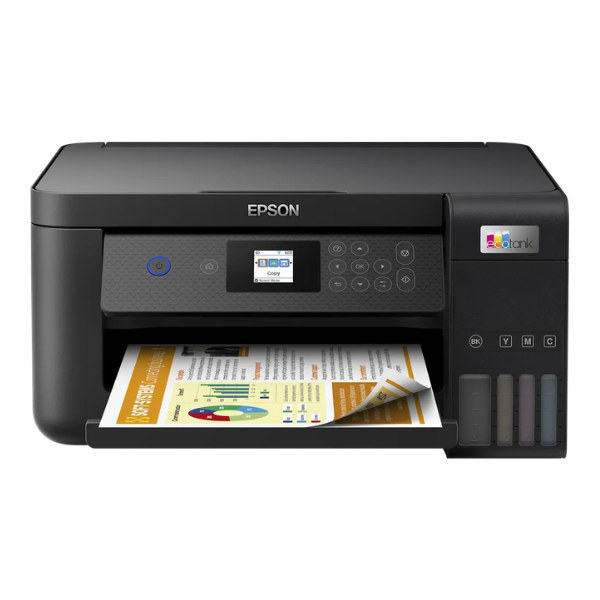
Product Description
Say goodbye to expensive ink cartridges! The BRAND NEW Epson EcoTank L4260 is here to revolutionize your printing at home or in your small office in Uganda. Its integrated high-capacity ink tanks mean you can print thousands of pages without worrying about replacements, saving you a lot of money and hassle. This isn't just a printer; it's a complete productivity solution.
This versatile all-in-one machine lets you print, scan, and copy with exceptional quality, thanks to Epson's Micro Piezo heat-free technology. Setting it up is simple, and with Wi-Fi and Wi-Fi Direct, you can easily print documents directly from your smartphone, tablet, or laptop without needing a physical connection. The automatic duplex feature saves you time and paper by printing on both sides of the page automatically – perfect for reports and documents.
Built for efficiency, the L4260 is a smart investment for anyone who needs reliable, high-volume printing without the high running costs. Whether you're a student printing assignments, a business owner creating invoices, or a family printing photos, this brand new, sealed printer delivers crisp text and vibrant colours every time. Get yours today and enjoy the freedom of cartridge-free printing.
📖 HOW TO USE
1. Carefully unbox the printer and remove all protective tapes and materials.
2. Fill the ink tanks with the correct colour ink from the included bottles. The bottles are keyed to prevent mistakes.
3. Plug in the power cord and turn on the printer. Do not connect the USB cable yet.
4. Follow the on-screen instructions on the printer's LCD screen to initialize the ink system.
5. Once initialized, install the software on your computer and connect the printer to your Wi-Fi network.
💡 TIPS & CARE
• Always use genuine Epson ink bottles to ensure the best print quality and longevity of your printer.
• To prevent print head clogs, try to print at least one page in colour every week.
• Download the Epson Smart Panel app on your phone for easy mobile printing, scanning, and printer management.
• For the best photo prints, use high-quality Epson photo paper.




